Local-first · plain files · yours to keep
Notes that work
as hard as you do.
Thortiq turns a folder of plain Markdown files into a complete workspace: notes you can see as text, an outline or a mind map, and restructure by dragging a heading with everything under it; databases, canvases and handwriting; a journal, habits and meal plans; and an assistant that has read your notes. Your files stay ordinary Markdown the whole time.
macOS · Windows · Linux · Android · or in your browser. Open an existing vault: no import, no export. Everything local is free.
NewOne note, three views
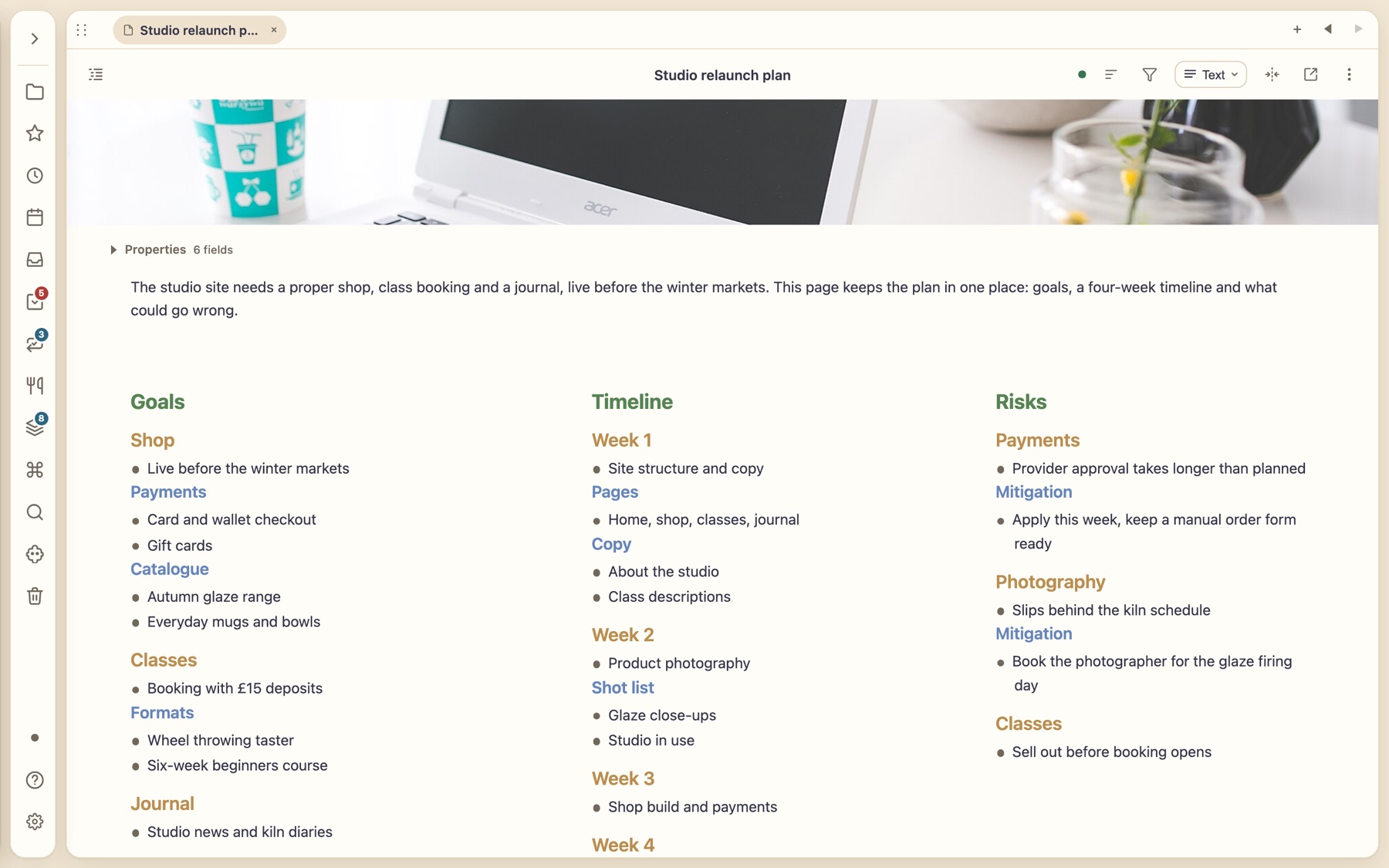
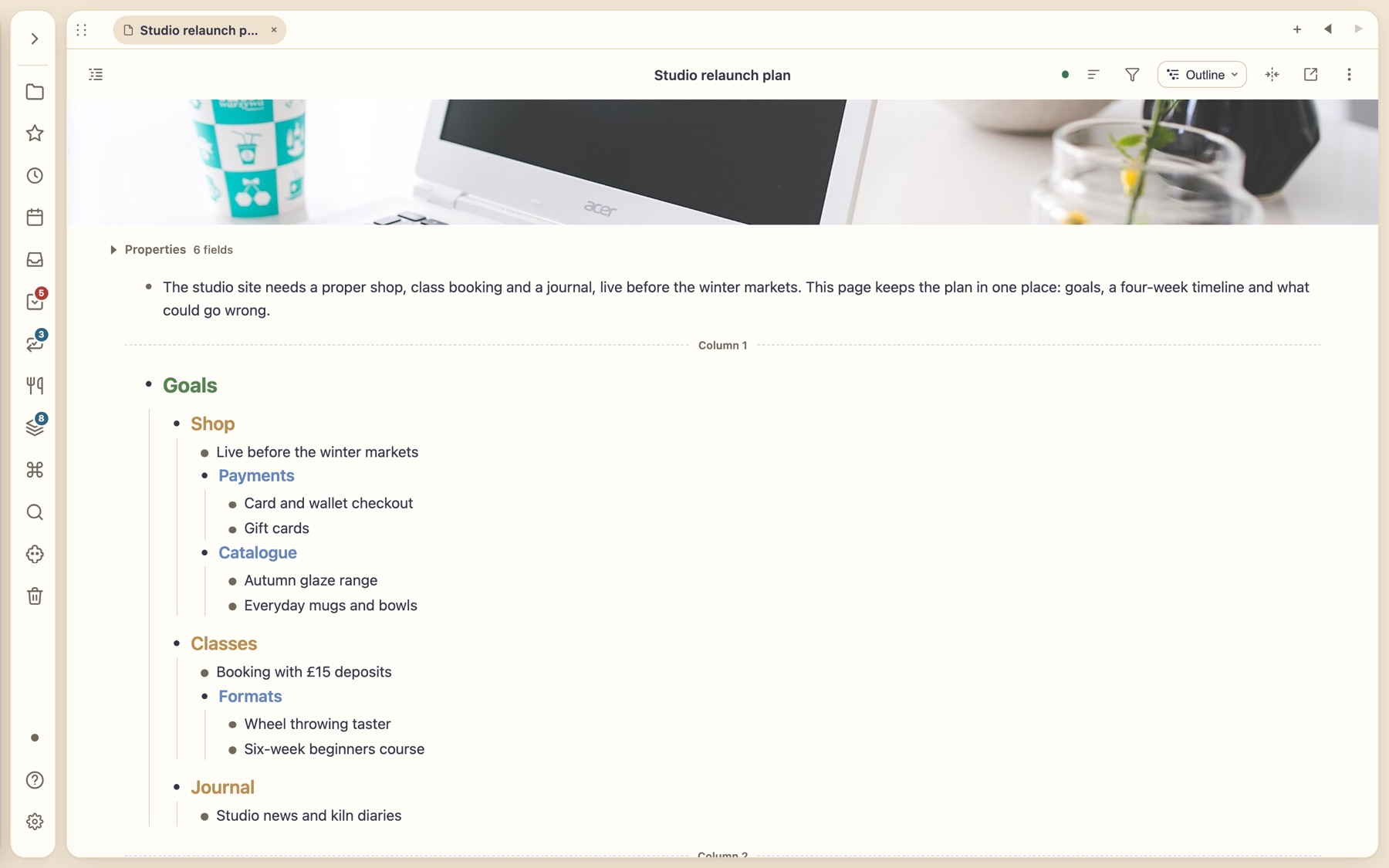
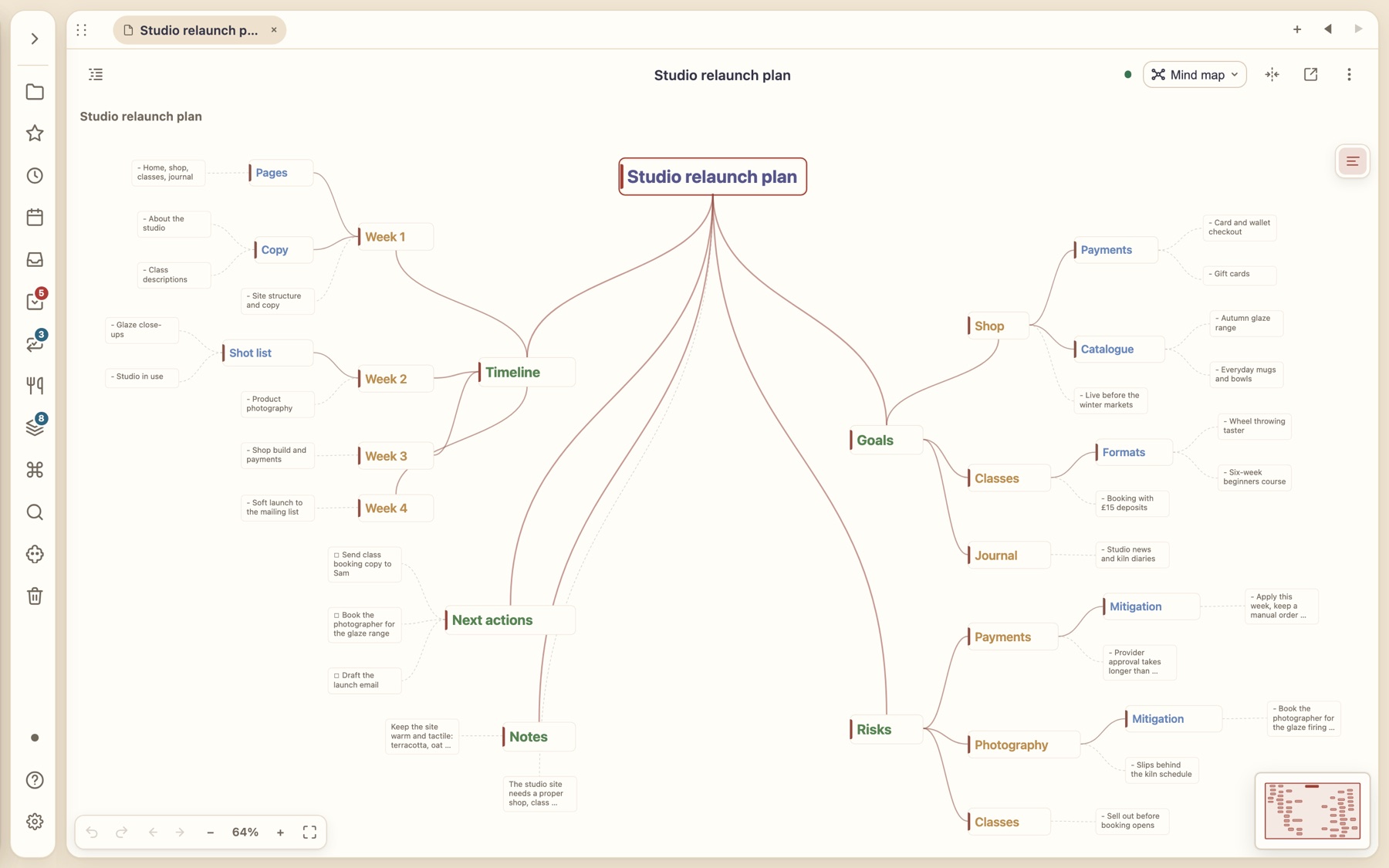
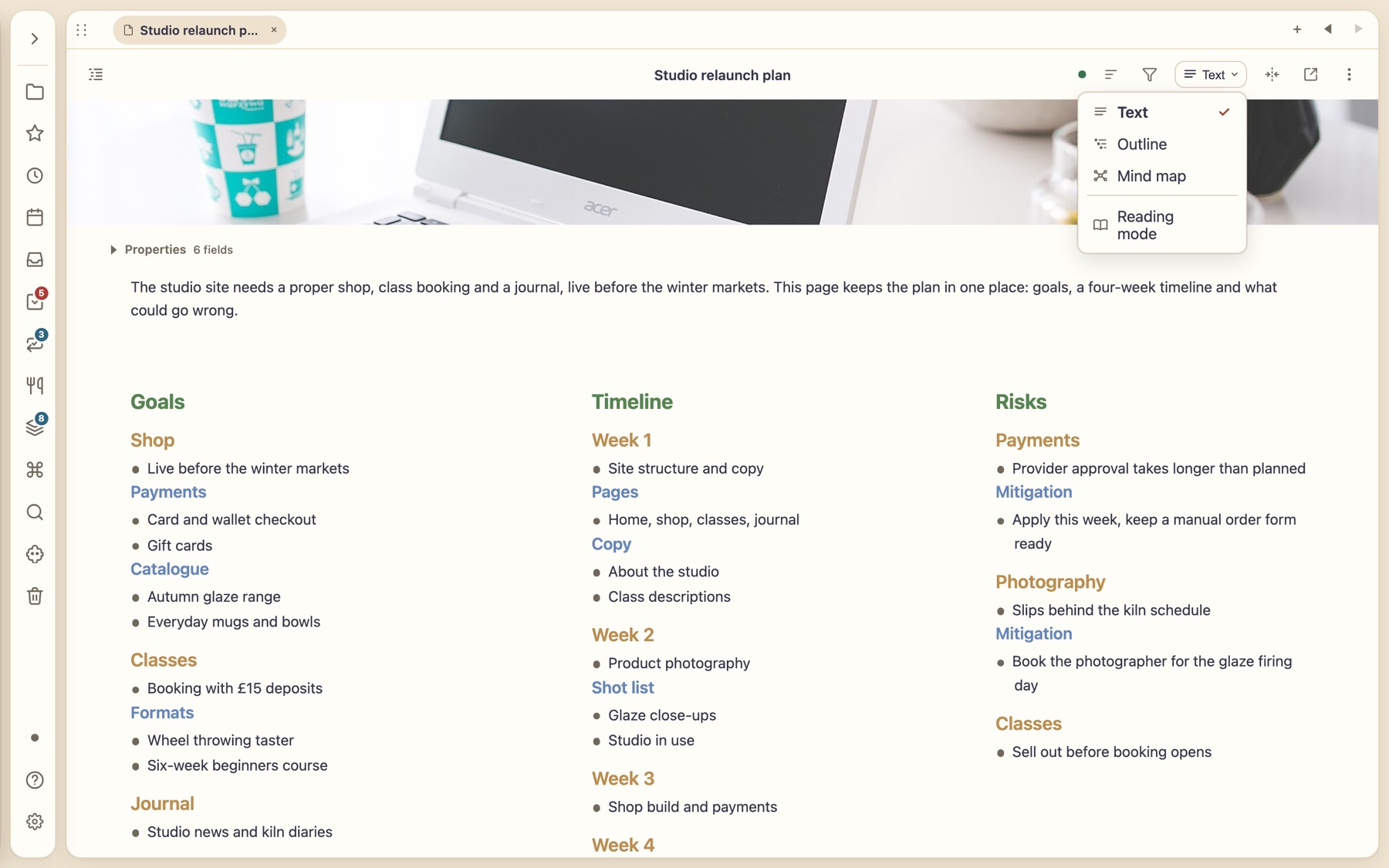
Text, Outline or Mind map. One click in the note header.
The view menu sits in every note’s header. Switch the same Markdown file between writing it, working it like an outline and seeing it as a map. There is only ever one document, so an edit in any view is an edit to the file.
Text
Write freely, with a banner photo, properties and columns. Fold child headings from the caret or show headings as bullets.
Outline
Work any note like an outliner: collapse and expand by level (L1–L6), move a line and its nested lines together, drag blocks between columns.
Mind map
Zoom into a heading and see the whole shape. Drag to rearrange; edit a heading in the map and the Markdown changes.
Reading mode
A clean read-only view of the same note, with drag-restructuring still available.
NewRestructure by dragging
Drag a heading and everything under it comes too.
Pick up a heading by its handle and drop it somewhere else: its sub-headings, bullets and nested sub-bullets travel with it. Move a bullet and its whole branch moves too. Reorganise a long note the way you would shuffle index cards, without cutting, pasting or re-indenting a single line.
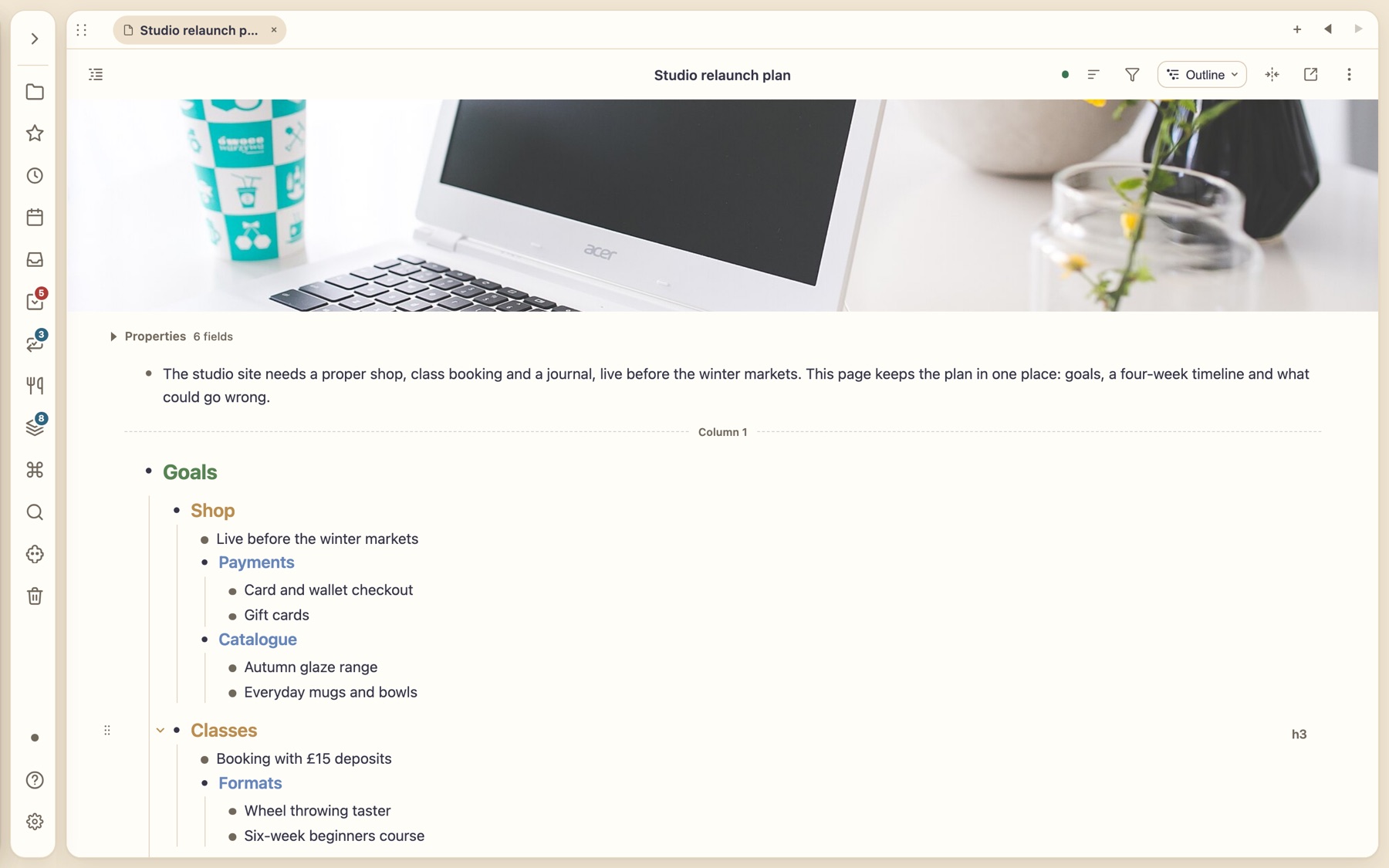
1 · Pick it up
Grab the handle beside any heading or bullet. Here the Classes heading sits below Shop, with its own sub-headings and bullets.
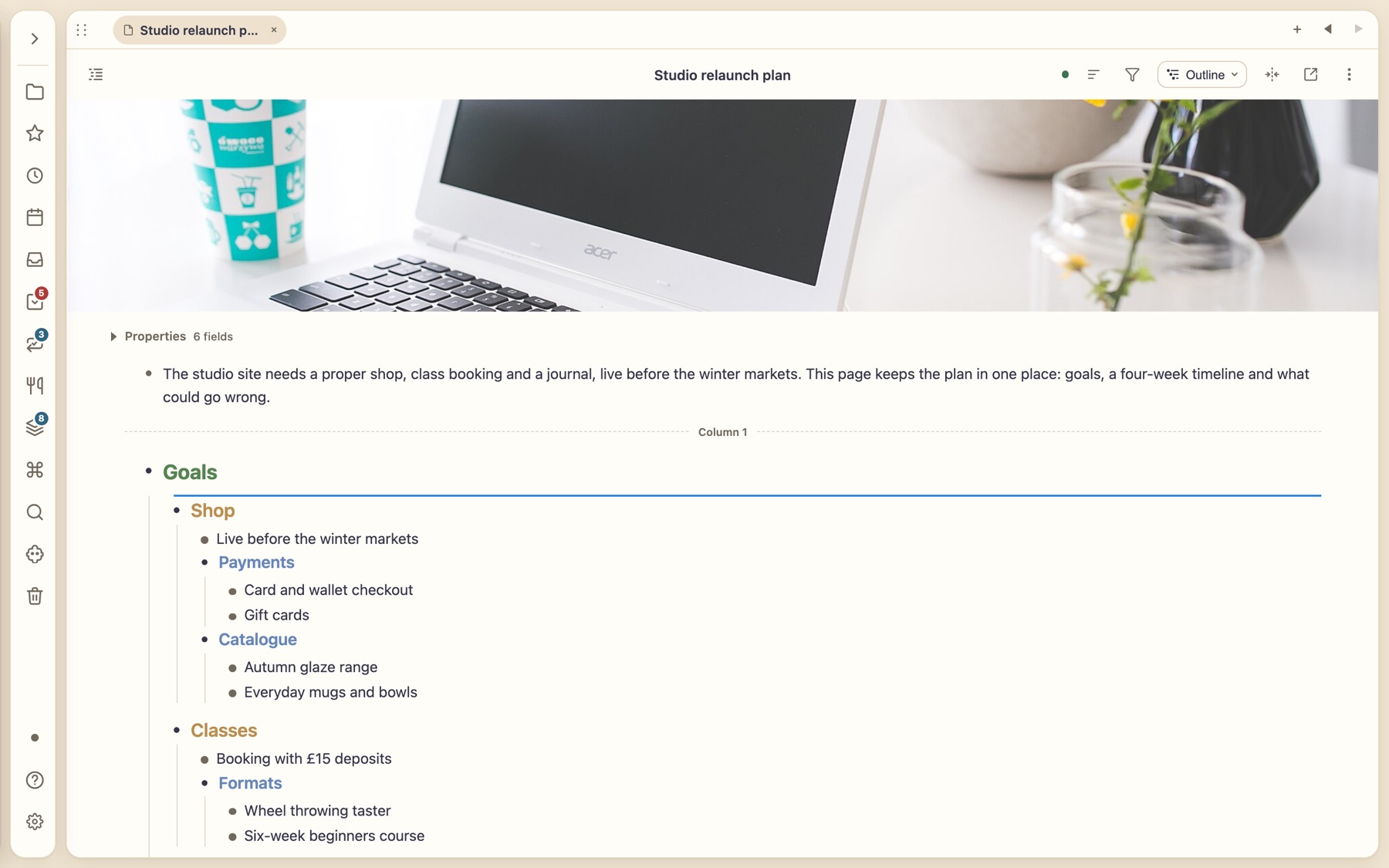
2 · Drop it where it belongs
A drop line shows exactly where it will land. Drop between siblings, or onto a heading to nest it inside.
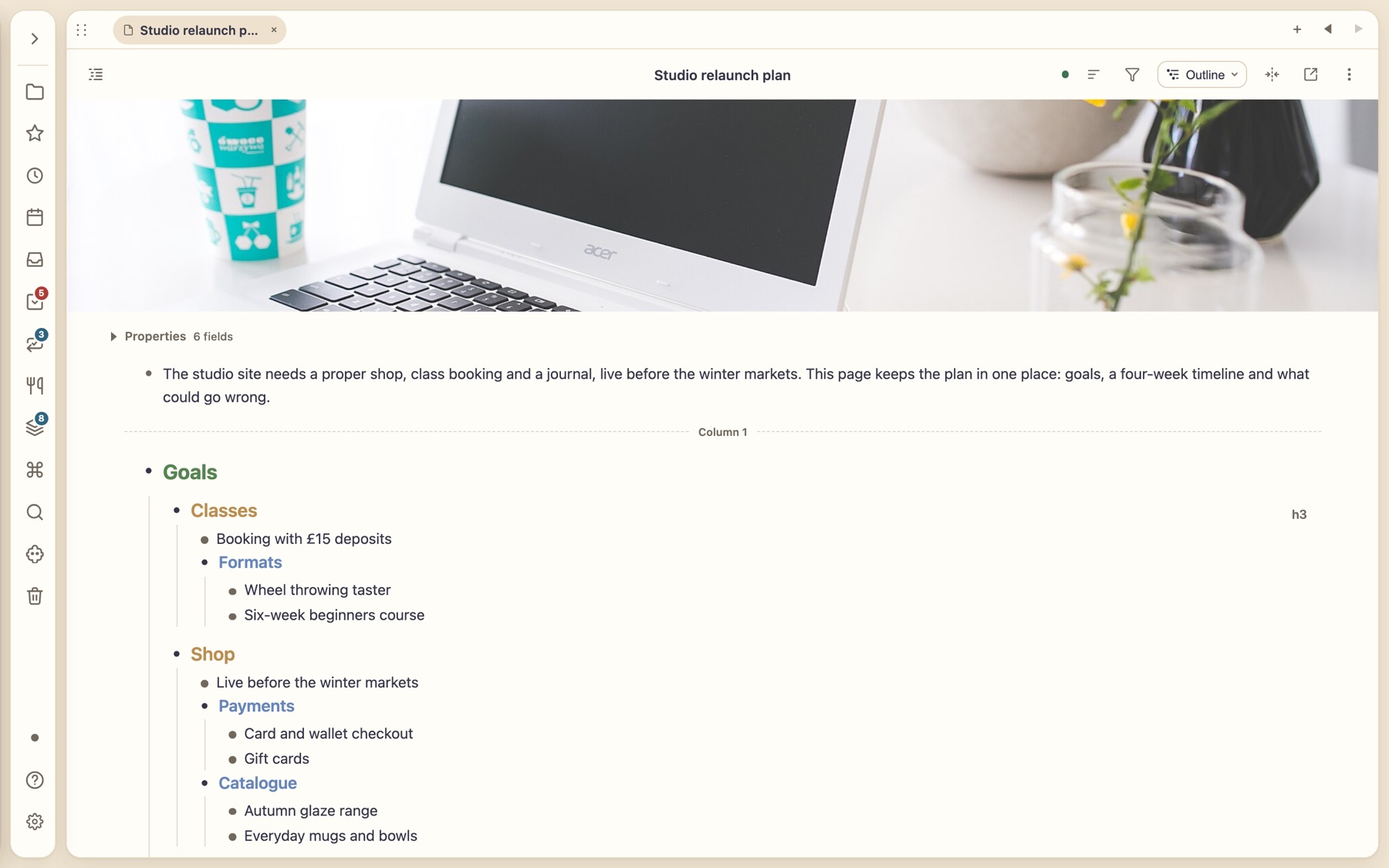
3 · The whole branch moves
Classes now comes before Shop, and Formats, Wheel throwing taster and Six-week beginners course went with it.
Headings carry their children
Move a heading and every level beneath it moves with it, however deep.
Bullets carry their branch
Nested sub-bullets stay attached to the bullet they belong to.
Across columns
Drag blocks from one column to another, with the drop line right beside the bullet.
Still just Markdown
Behind the scenes it is ordinary heading levels and list indents in your file, so nothing is locked in.
No format to escape from.
Everything — links, tags, properties, tasks, even habits and recipes — is stored as ordinary Markdown with frontmatter. Open the folder in any editor, put it in Git, use it with other tools. Thortiq just makes it far more useful.
- Notes with banners. A banner photo, properties and wikilinks, still one
.mdfile. - Rename or move a note and links repair themselves, with recoverable undo.
- Titles and filenames stay in step.
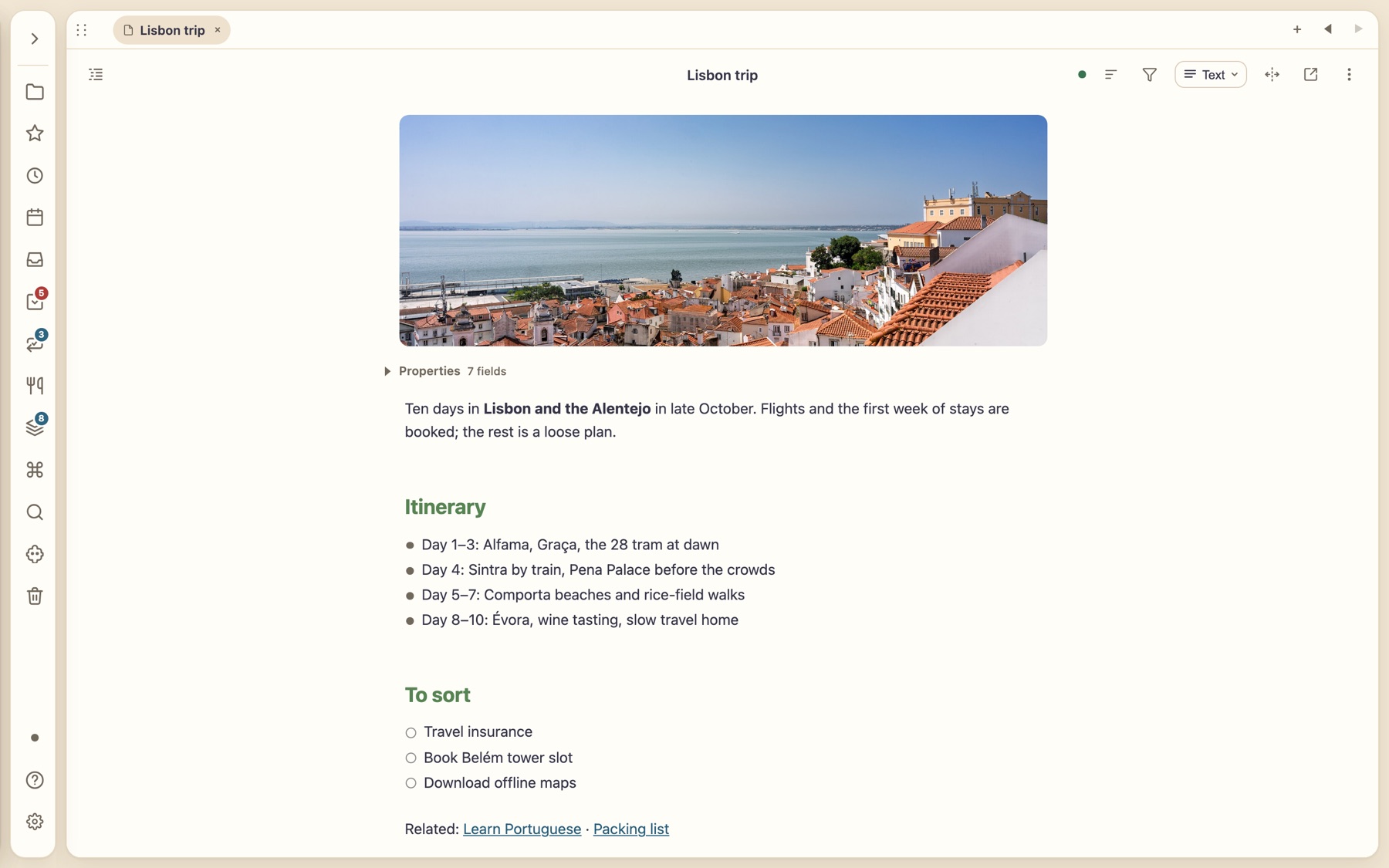
You own the data
Your notes are plain files in a folder you choose: readable in any editor, tracked in Git, usable with other tools. Everything works offline, with no account to start.
Fast first, powerful when asked
Capture at the speed of typing. Properties, views, canvases and plugins appear only when you reach for them.
Private by design
Sync is optional and end-to-end encrypted. The server relays scrambled revisions and never reads your notes.
Databases from your own notes
One set of notes. Five ways to see it.
Notes carry properties, so any collection becomes a live view. Switch between table, cards, board, calendar and list without copying a thing. Edit in the view and the notes change.
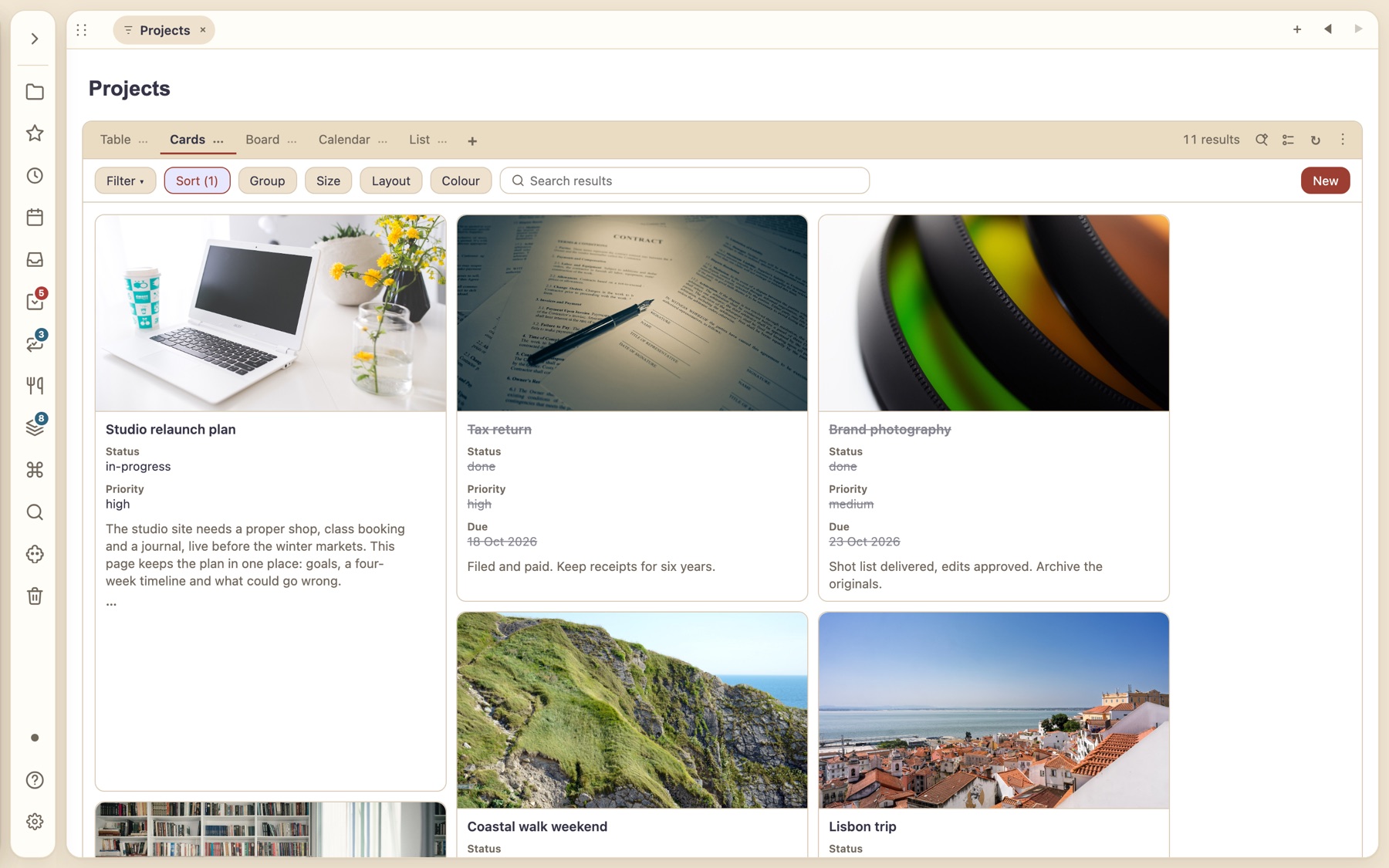
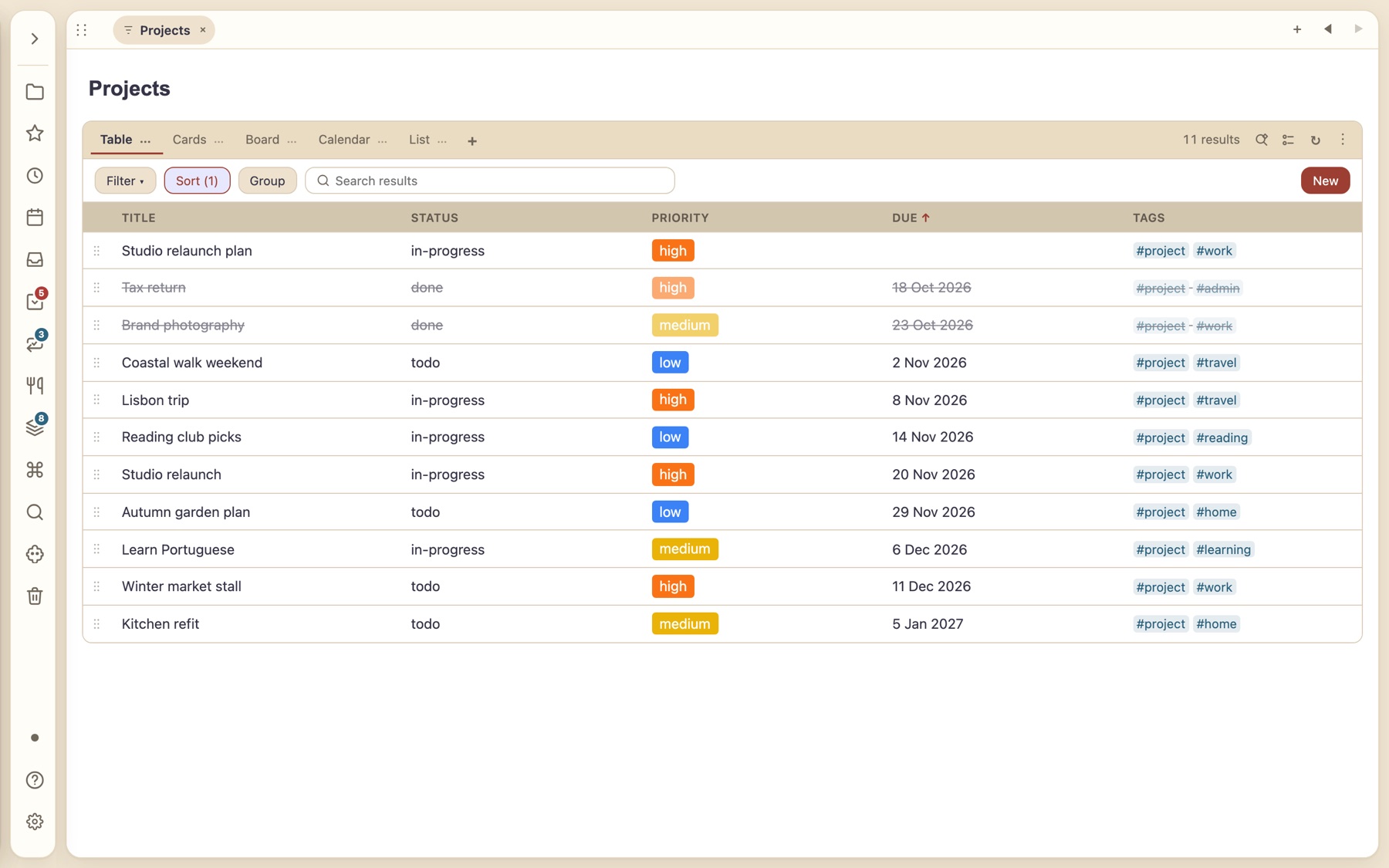
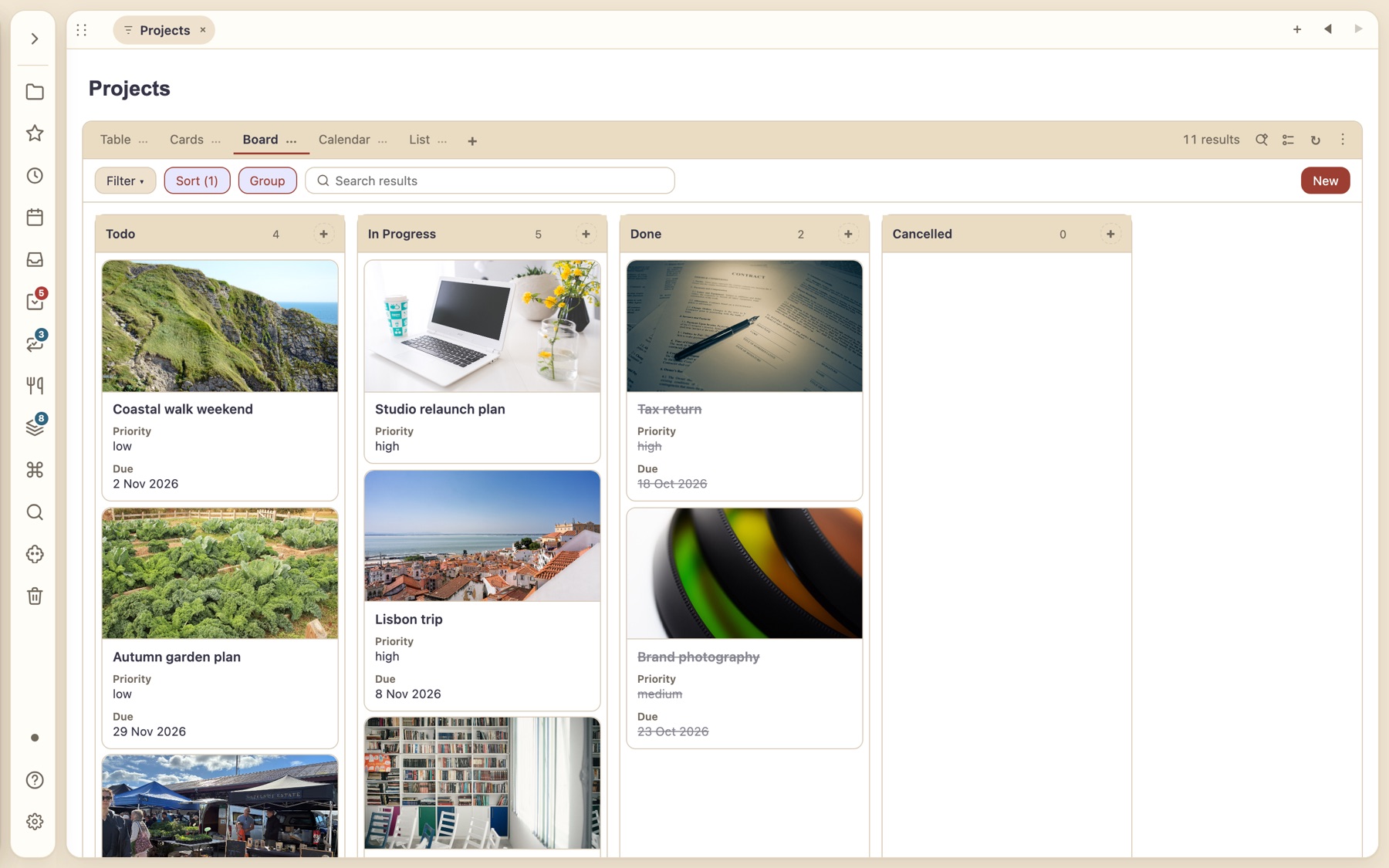
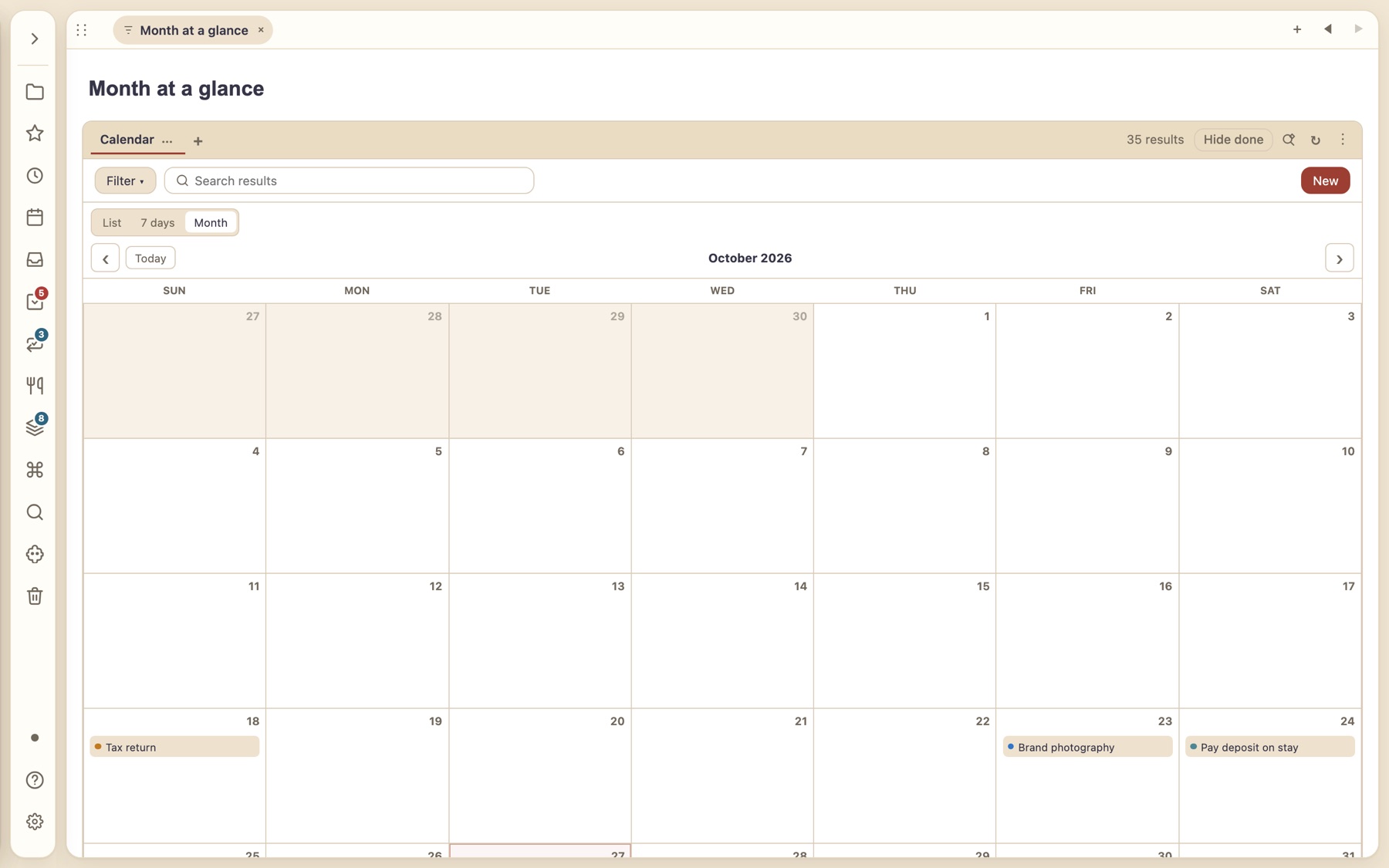
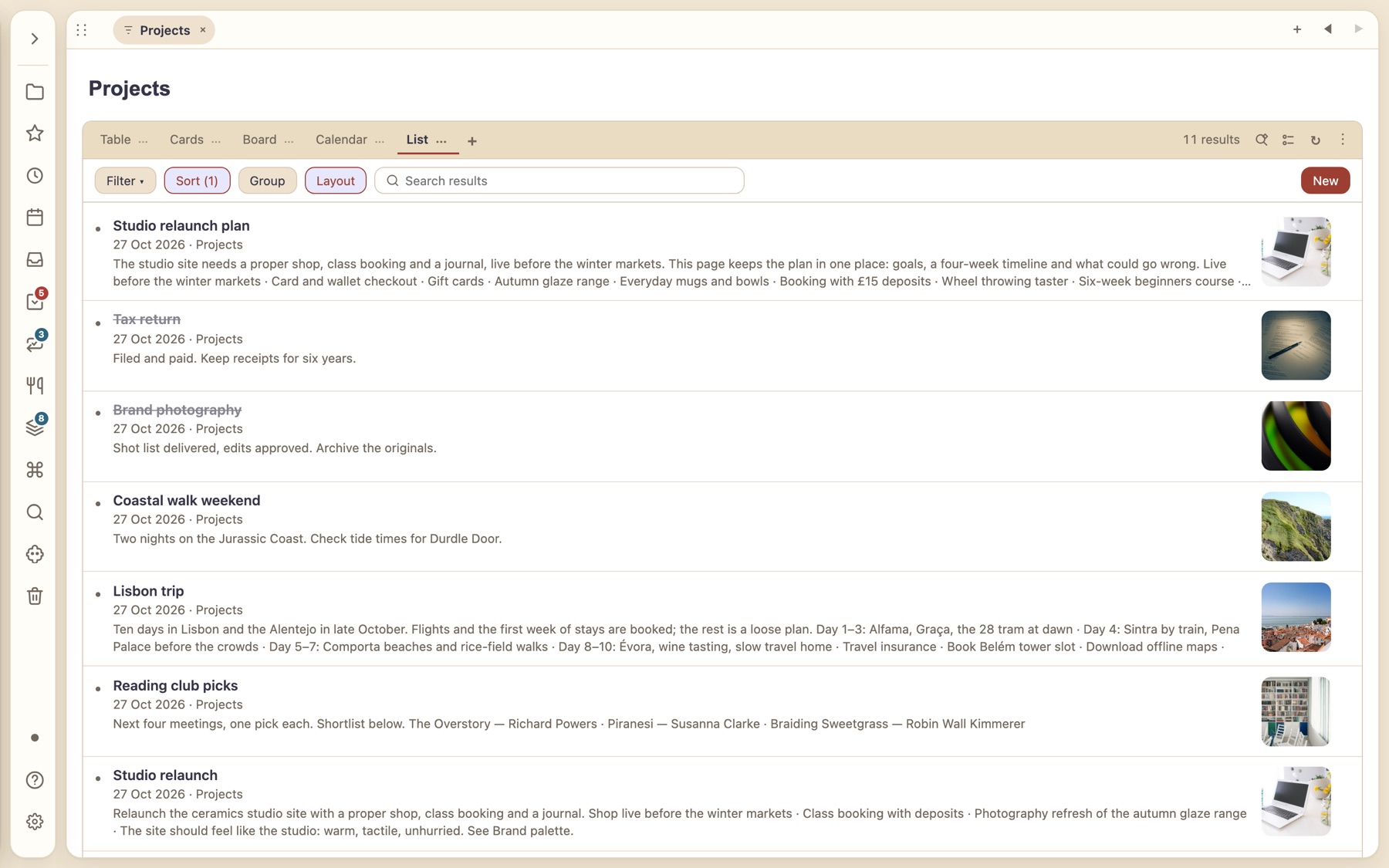
Create your own note types with icons, colours and default properties. Select many notes to set a type, edit tags or move them in one go, and keep pinned notes at the top of any list.
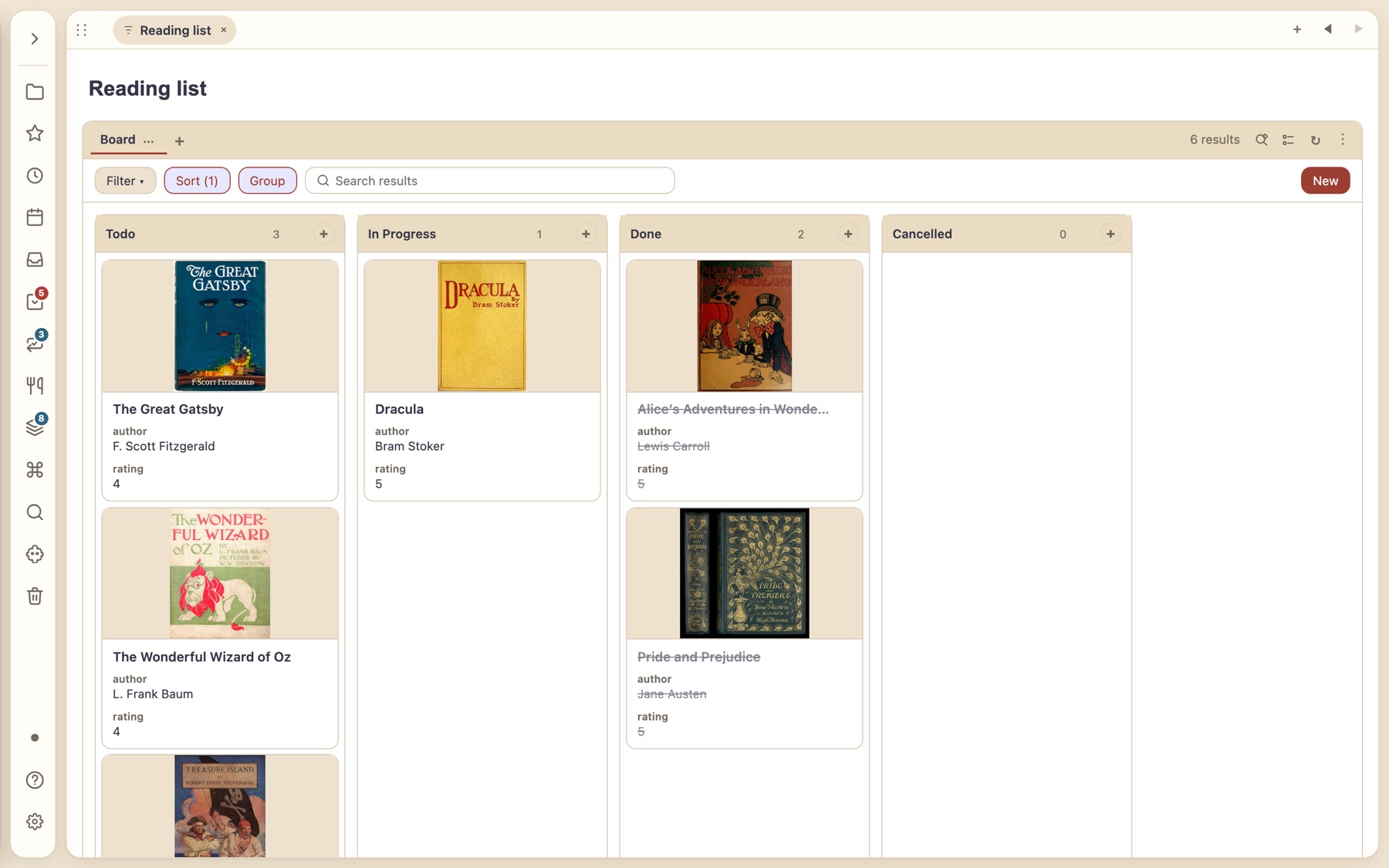
A reading list with real covers
Cards use the banner image, so a board of books looks like a shelf.
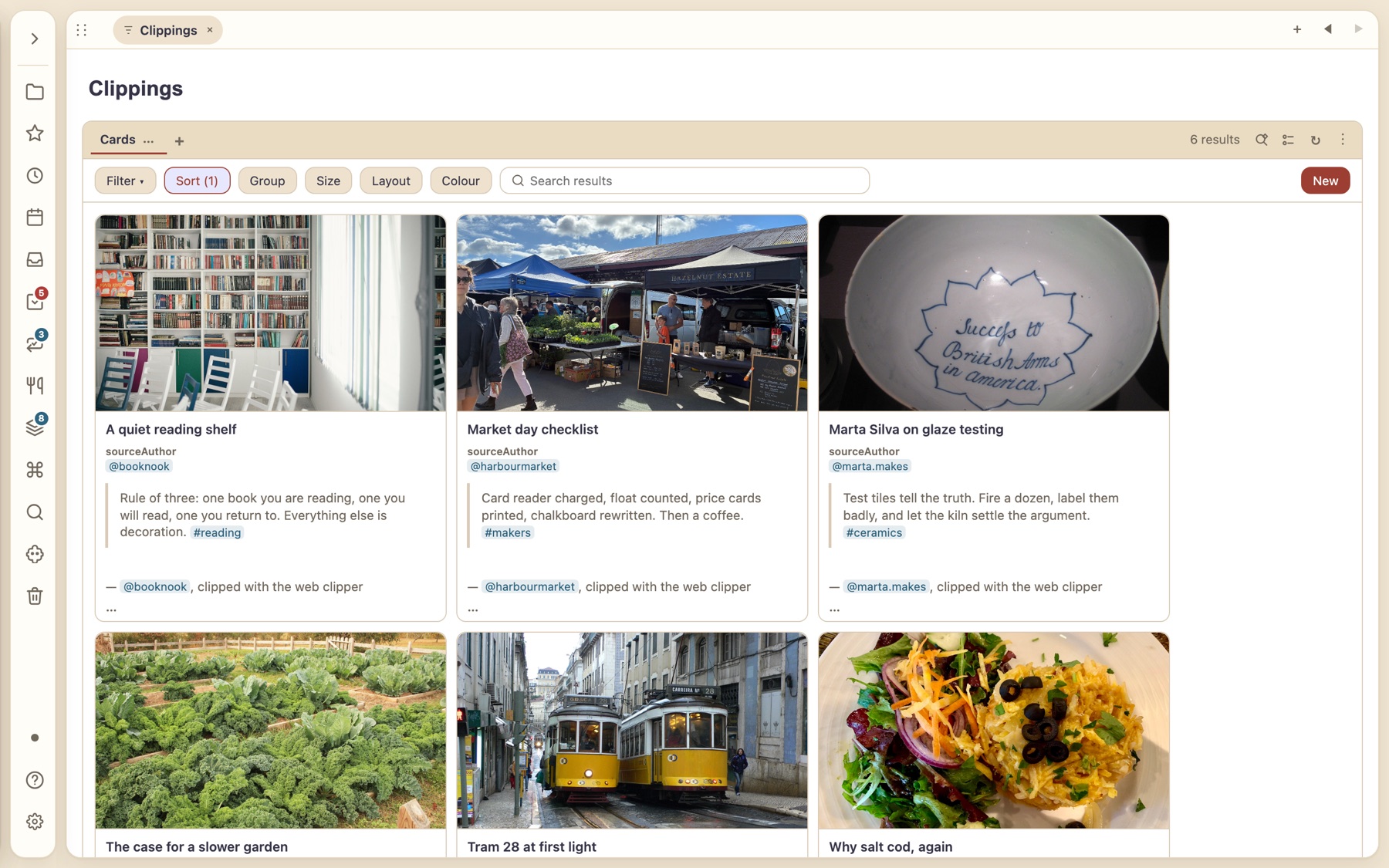
Clippings you can actually browse
Clip pages and posts with the web clipper; they arrive as ordinary notes with their source.
A canvas for the way you really think.
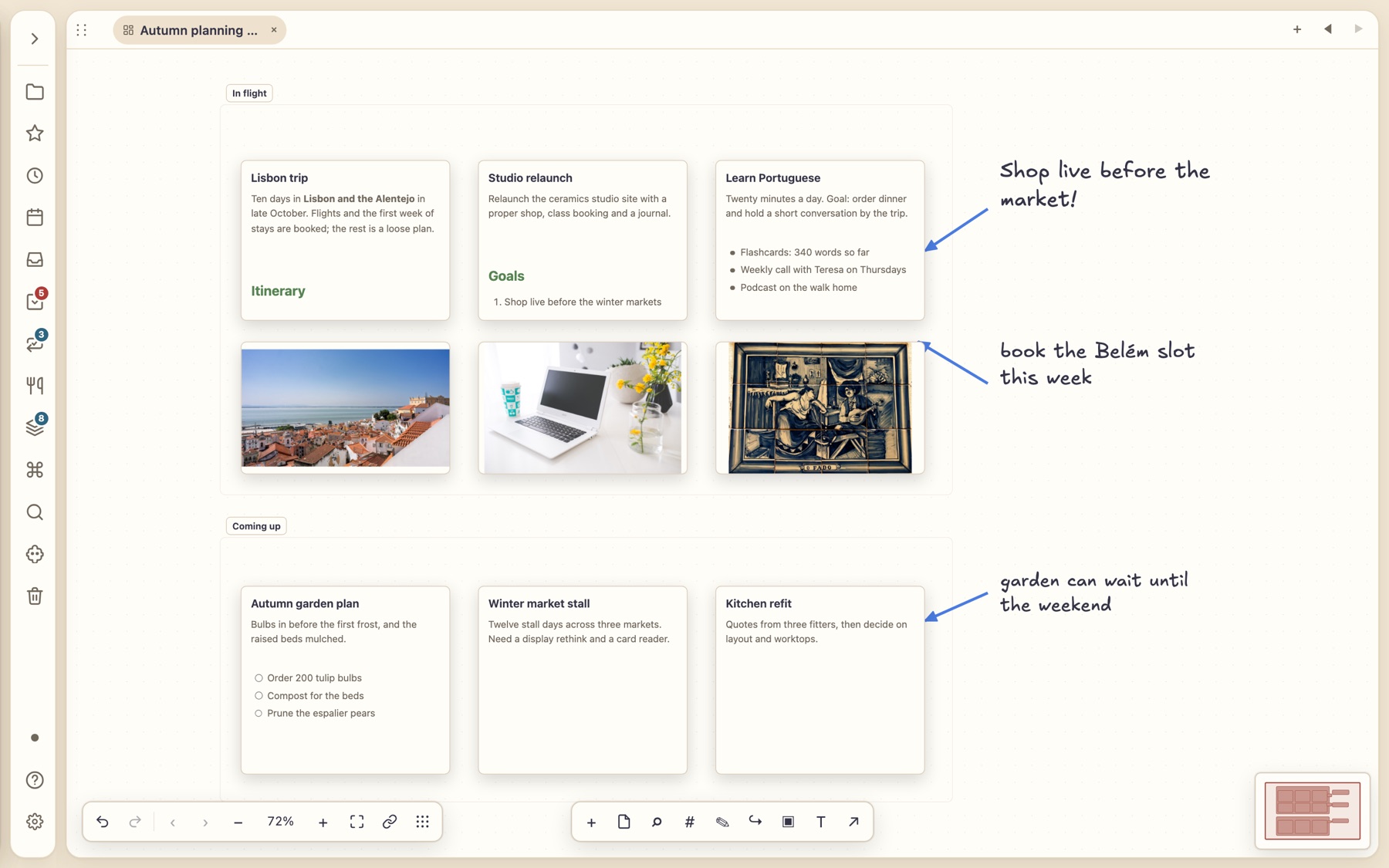
Spread notes, photos and handwritten-style annotations across an infinite canvas, link them with arrows and group them in frames. Cards are live notes: edit one and the note changes.
- Lock the cards that shouldn’t move, snap to a grid, and export a selection as Markdown or OPML.
- Draw in Excalidraw and annotate PDFs, each quote linked back to its page.
NewSelect, stack, spread
Sweep up a handful of cards. Stack them. Spread them out when you need them.
Tidy a busy canvas without deleting or copying anything. Cards stay in your file exactly where they were; a pile just hides them behind one stack, with the top card’s preview on its face and a count.
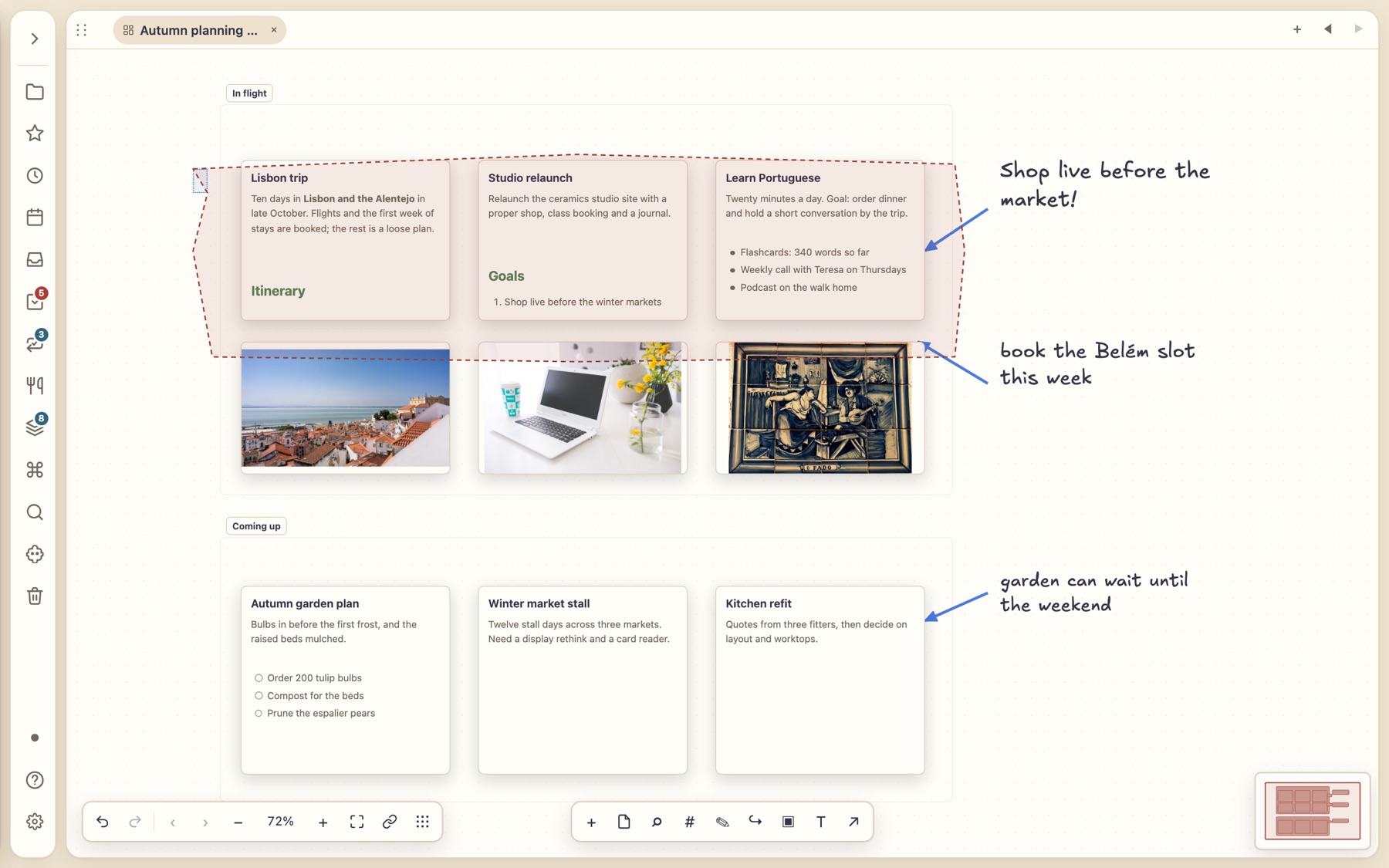
1 · Sweep to select
Hold Alt and draw a freeform lasso round the cards you want. Alt+Shift scrubs: anything your stroke touches joins the selection. A plain drag still draws a marquee.
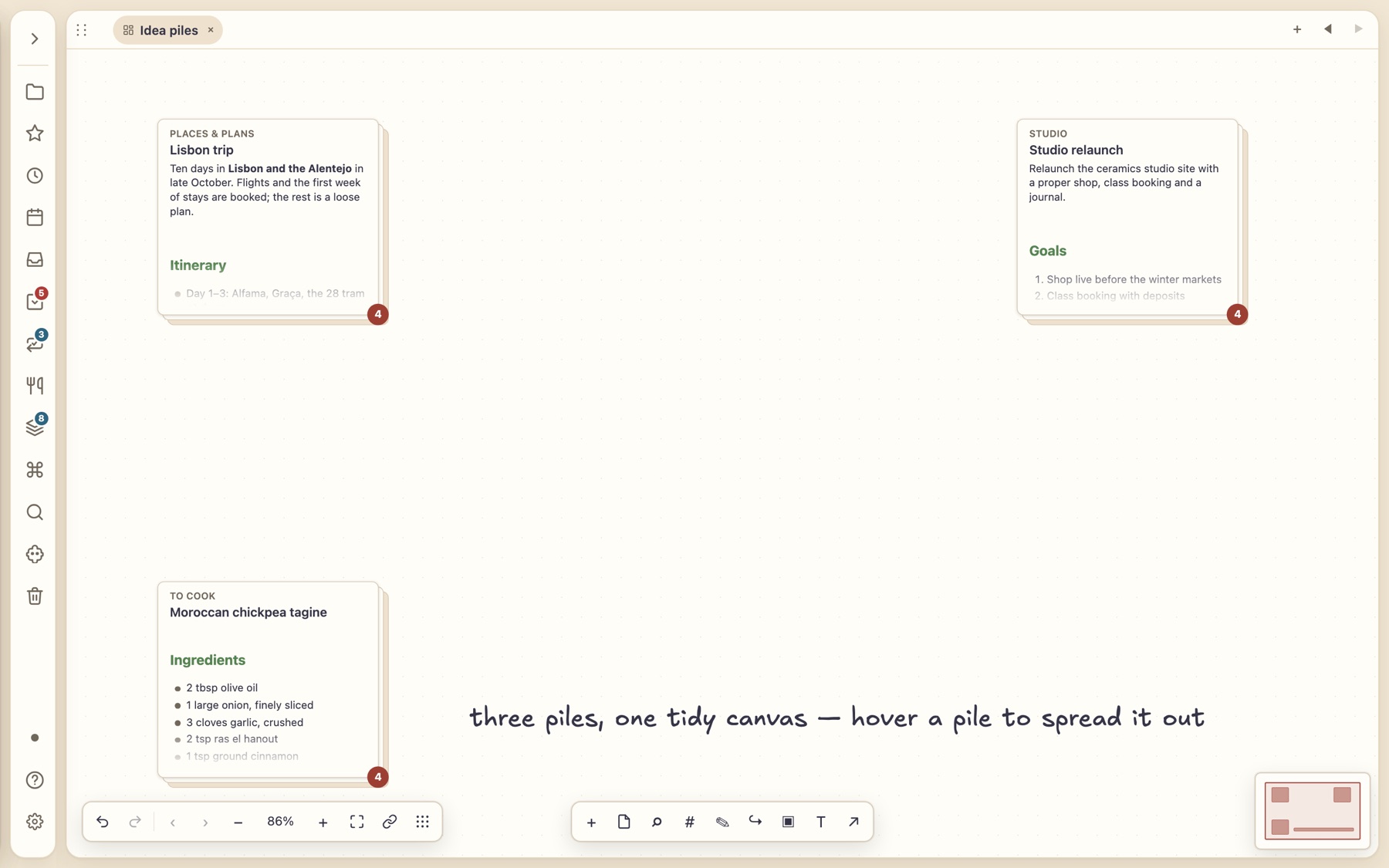
2 · Stack into a pile
Choose Pile selected cards. Each pile shows its top card and a count. Drop another card on it to add it, or pull the top card out.
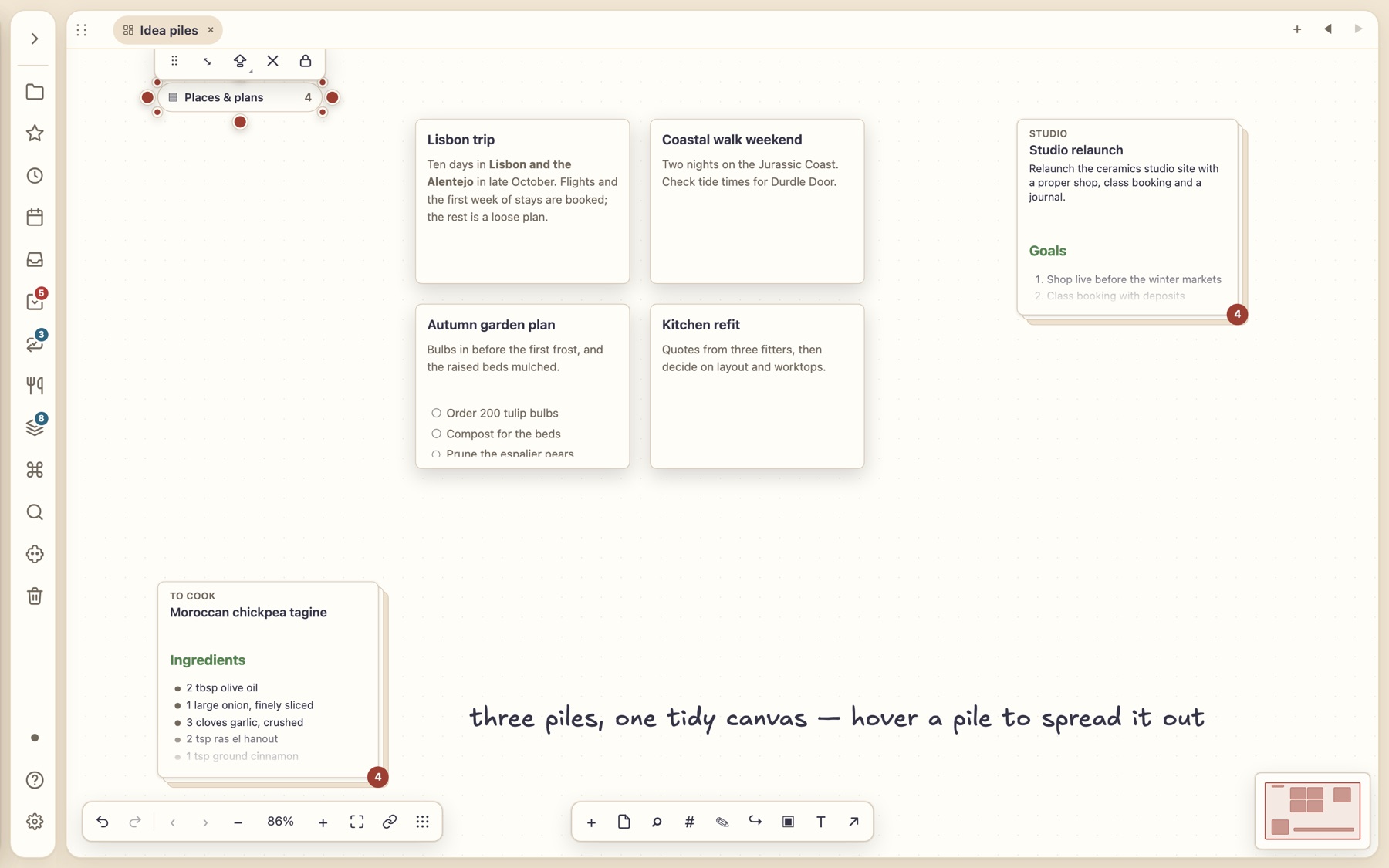
3 · Expand to read each card
Expand in place, expand to grid or fan out for a quick peek. Collapse and every card goes back to where it was.
Arrange
Stack, diagonal stack, column, row or grid. Sort cards by title, modified time or any property such as status or due date, or shuffle.
One undo
Every pile and arrangement is a single undo step, and dragging a card out of an open pile removes it from the pile.
Export a pile
Save a pile or selection as one Markdown file or an OPML outline, top card first.
Keyboard and screen readers
Piles take focus; Enter or Space expands and collapses, and pile actions and counts are announced.
NewHandwritten notes
Handwriting that reflows like typed text.
Write on a ruled sheet with a stylus on a tablet, or with a mouse or finger. Thortiq groups your ink into words, so you can add space between words and the rest of the line reflows and word-wraps, the way typed text does. No handwriting recognition, network or account needed.
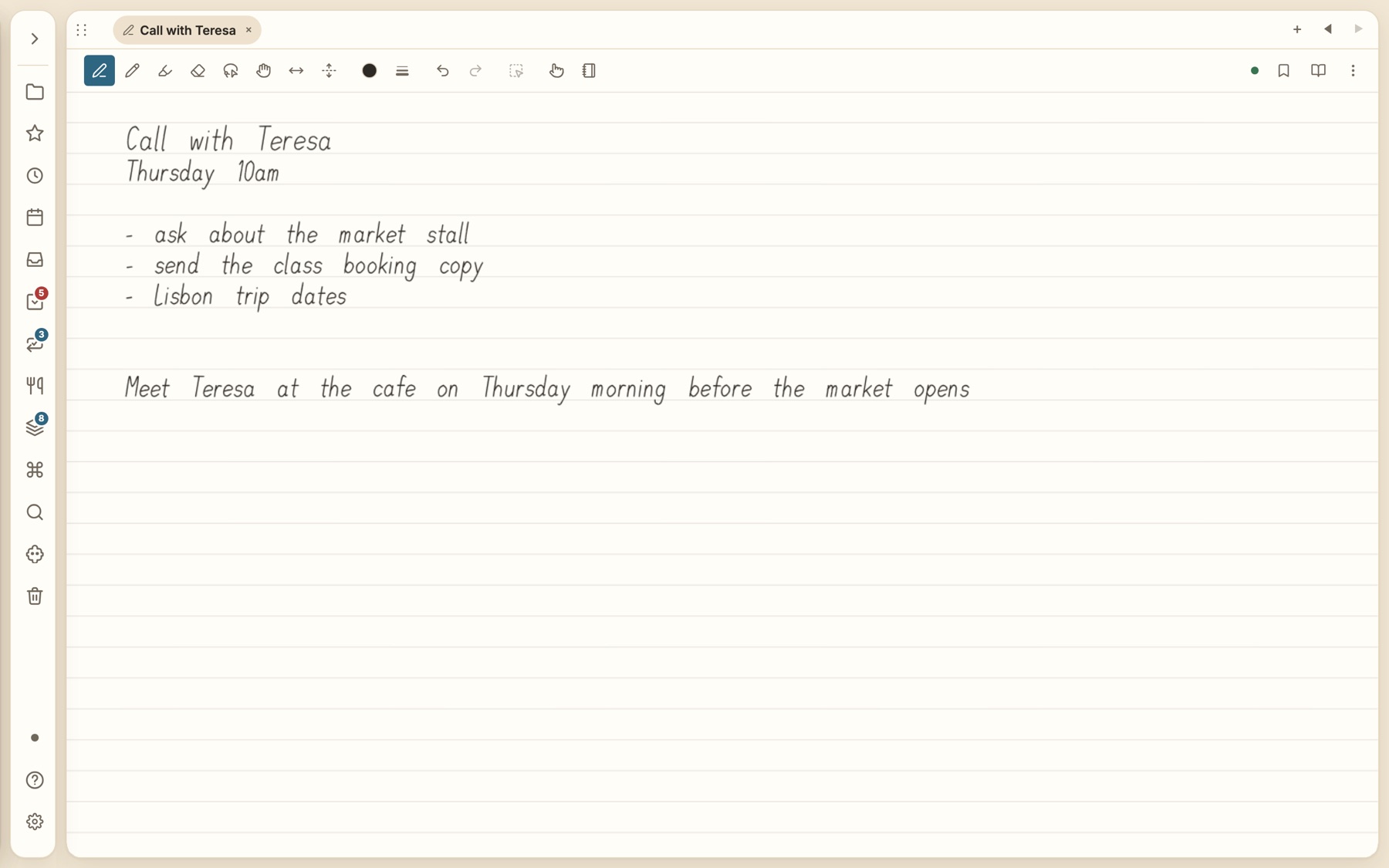
1 · Write
Headings, lists and short lines keep their shape on a ruled sheet. Resting your palm leaves no marks.
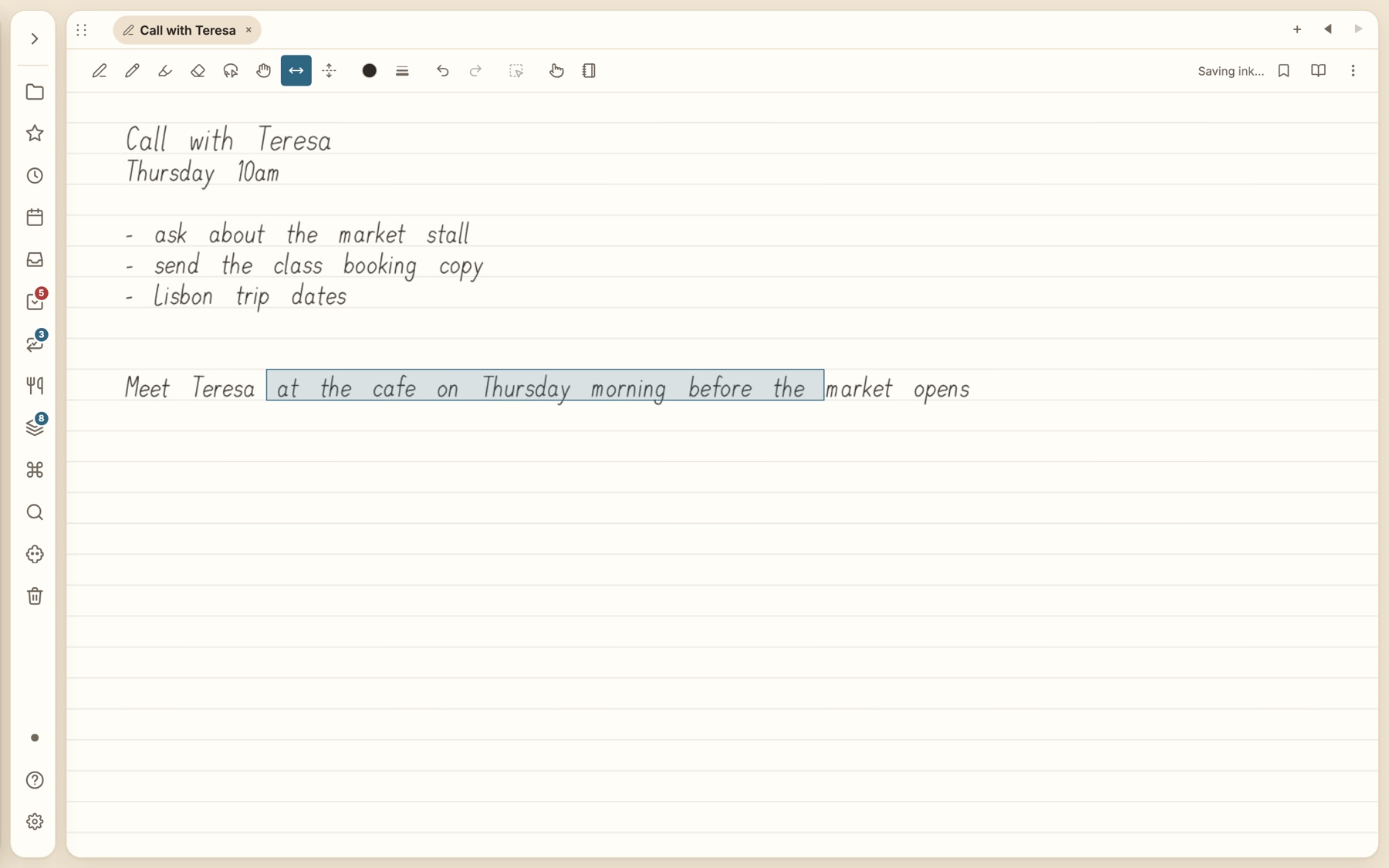
2 · Drag to add space
Pick the space tool and drag in a gap. Everything after it moves along with your pen.
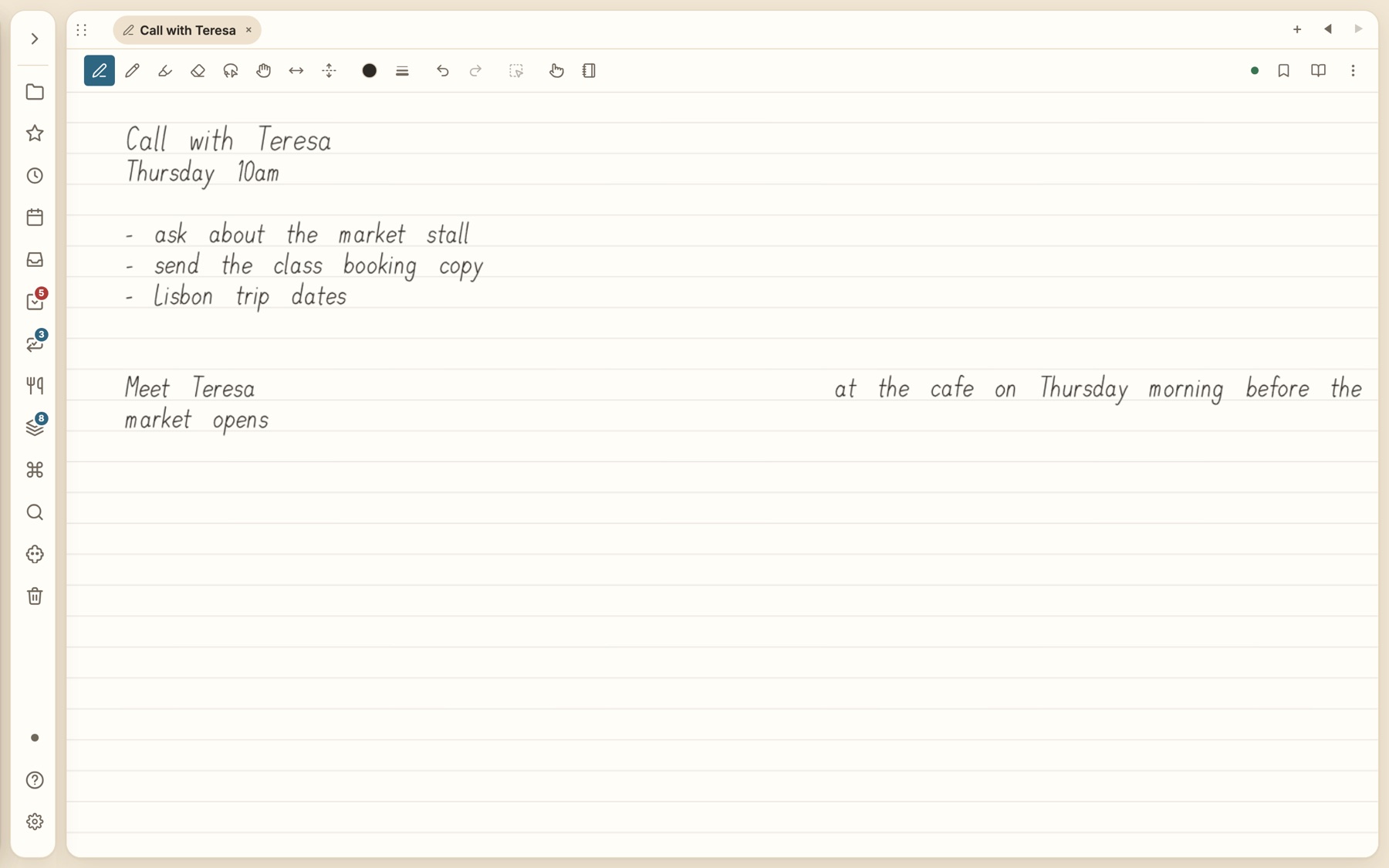
3 · It word-wraps
Run out of room and the words wrap to the next line. Drag back the other way to remove space.
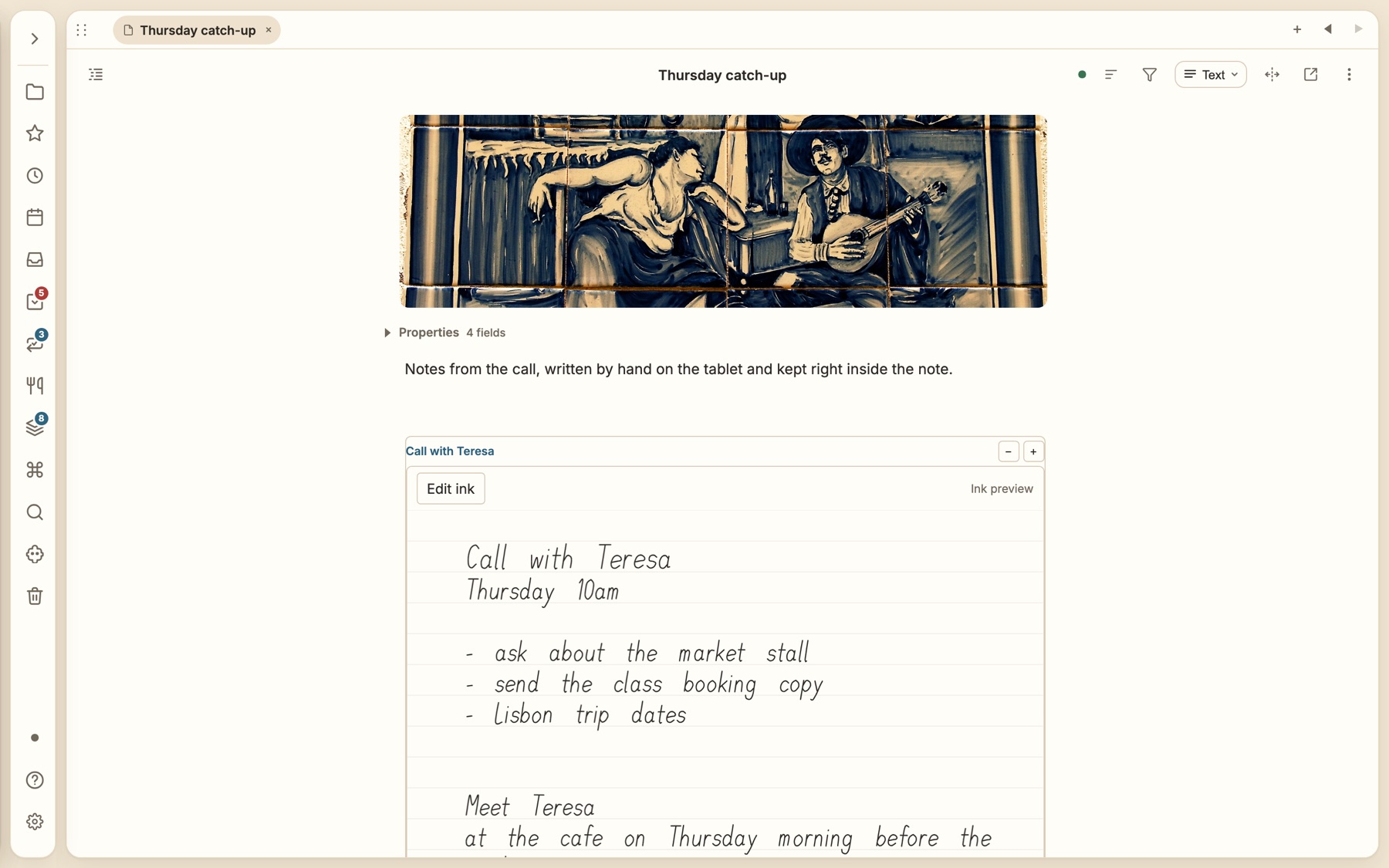
Inside a Markdown note
Embed a handwritten note in any note with a normal ![[link]], then tap Edit ink to write on it.
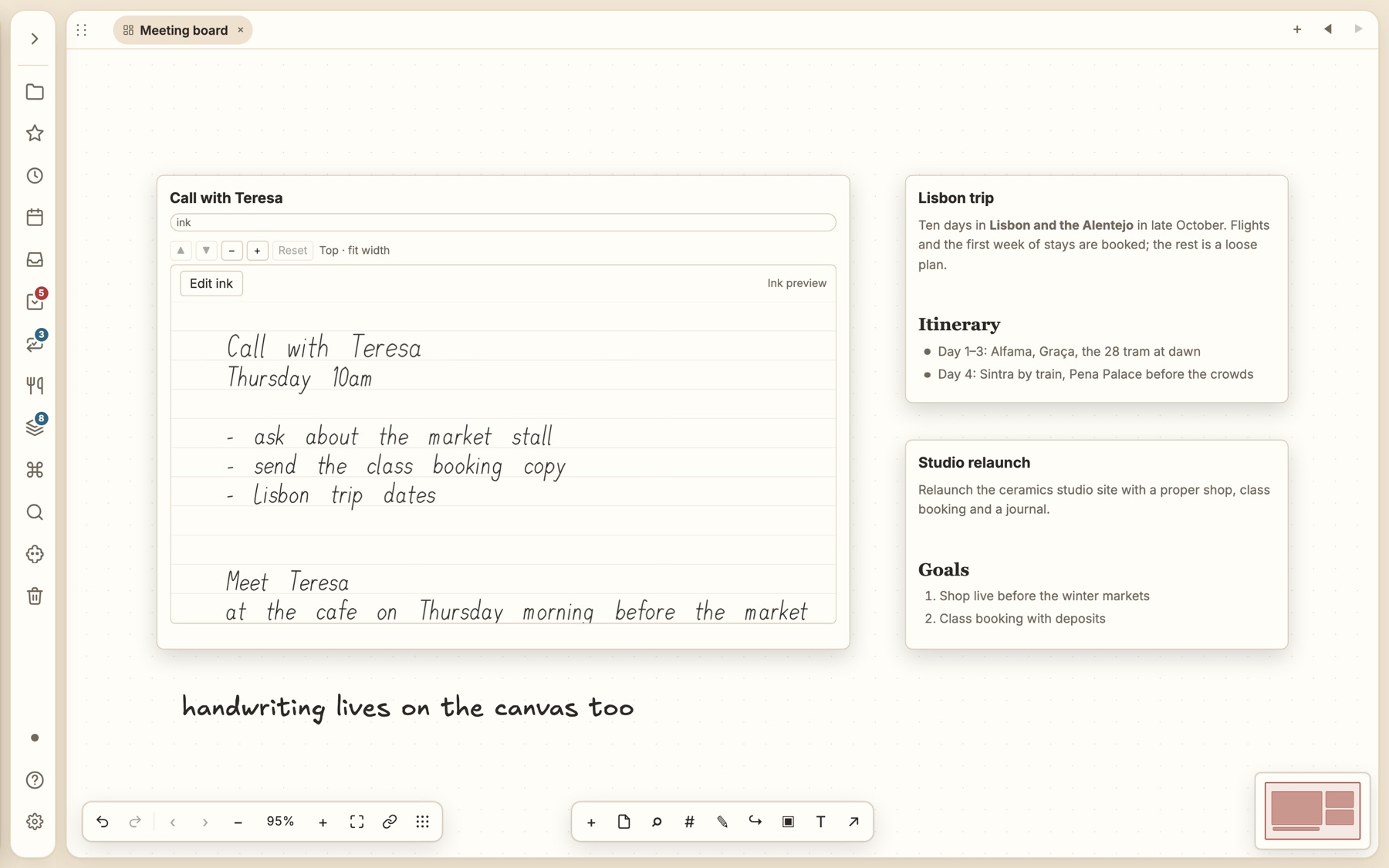
On a canvas
Handwriting is a card like any other: arrange it with notes, frames and arrows.
Space and rows
Insert or remove space between words, and add or remove blank ruled rows, without redrawing anything.
Draw freely
Pen, drawing and highlighter tools, an eraser, colours and widths, and a lasso to select, move and tidy handwriting.
Link and jump
Link handwriting to notes and web addresses, see backlinks, and bookmark places on a long sheet.
Safe like any file
Sheets sync end-to-end encrypted, keep version history, and recover unsaved ink after a crash or an interrupted sync.
Daily rituals, built in
The habits around your notes live beside your notes.
Not a plugin hunt. These are core parts of the app, stored as plain notes, searchable and linkable like everything else.
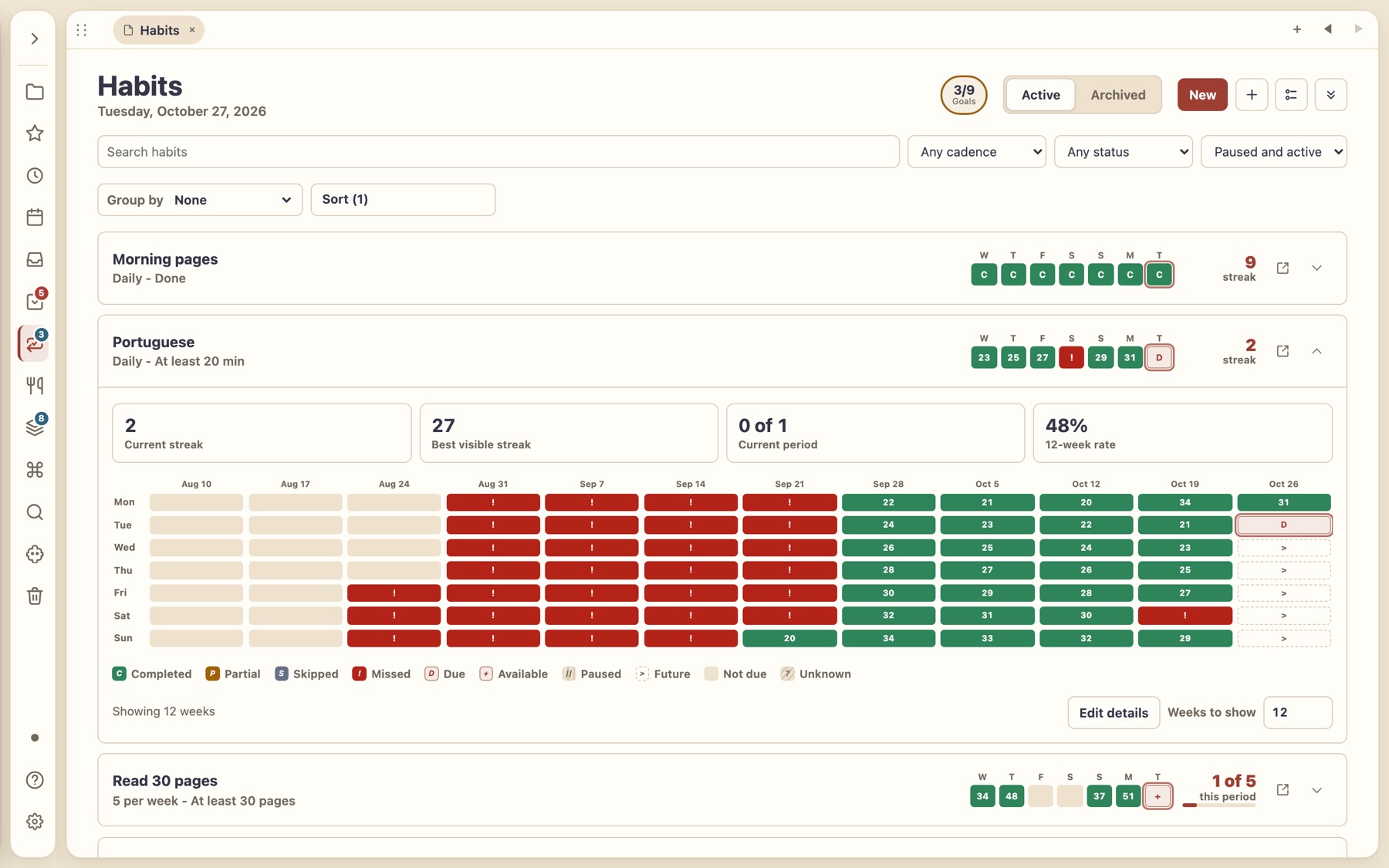
Habits with streaks
Daily, weekdays, every few days or a weekly quota, with numeric targets such as 5 km or 20 minutes.
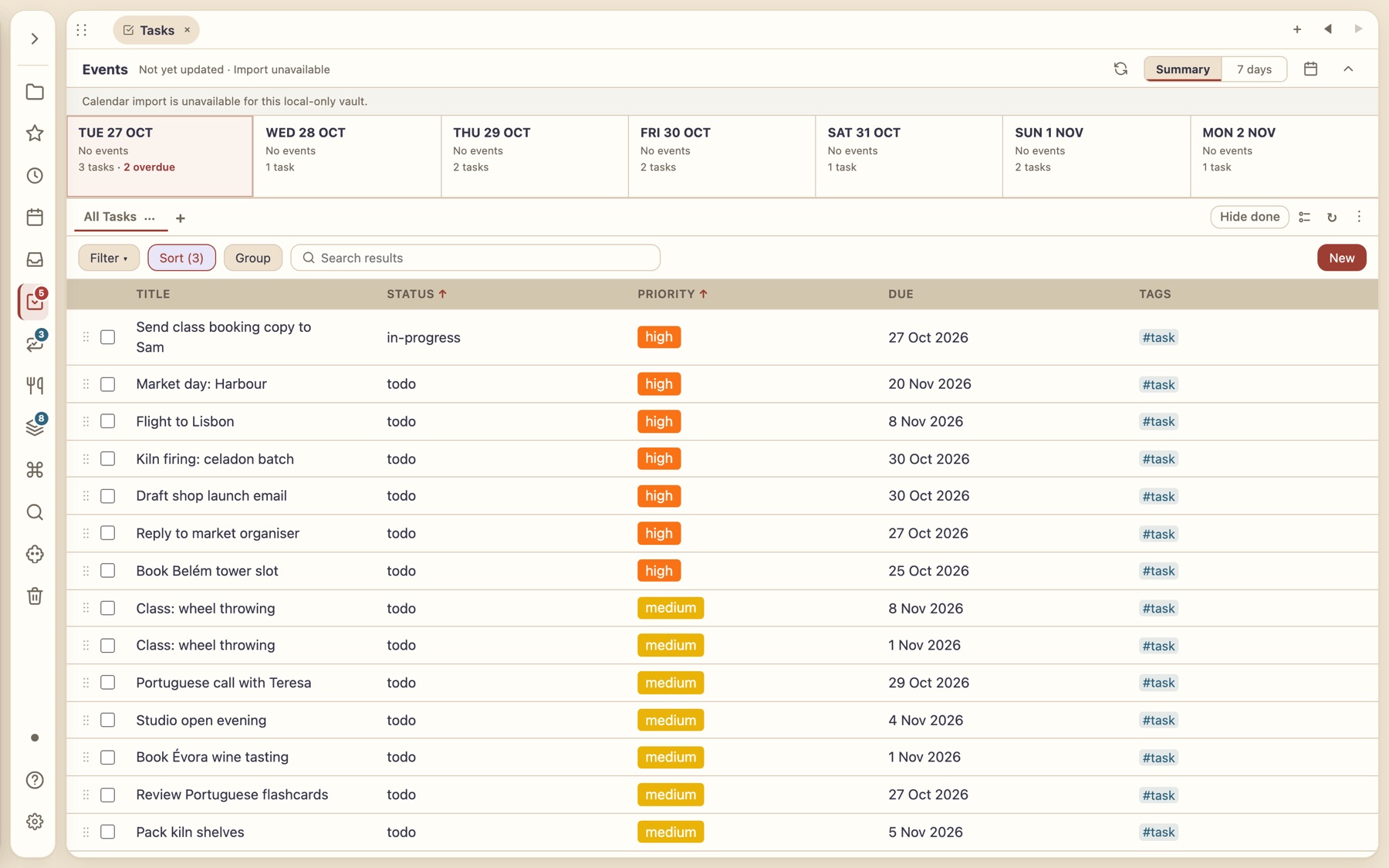
Tasks that know your week
Overdue, today and upcoming in one place, from every note. Calendar events join them when connected.
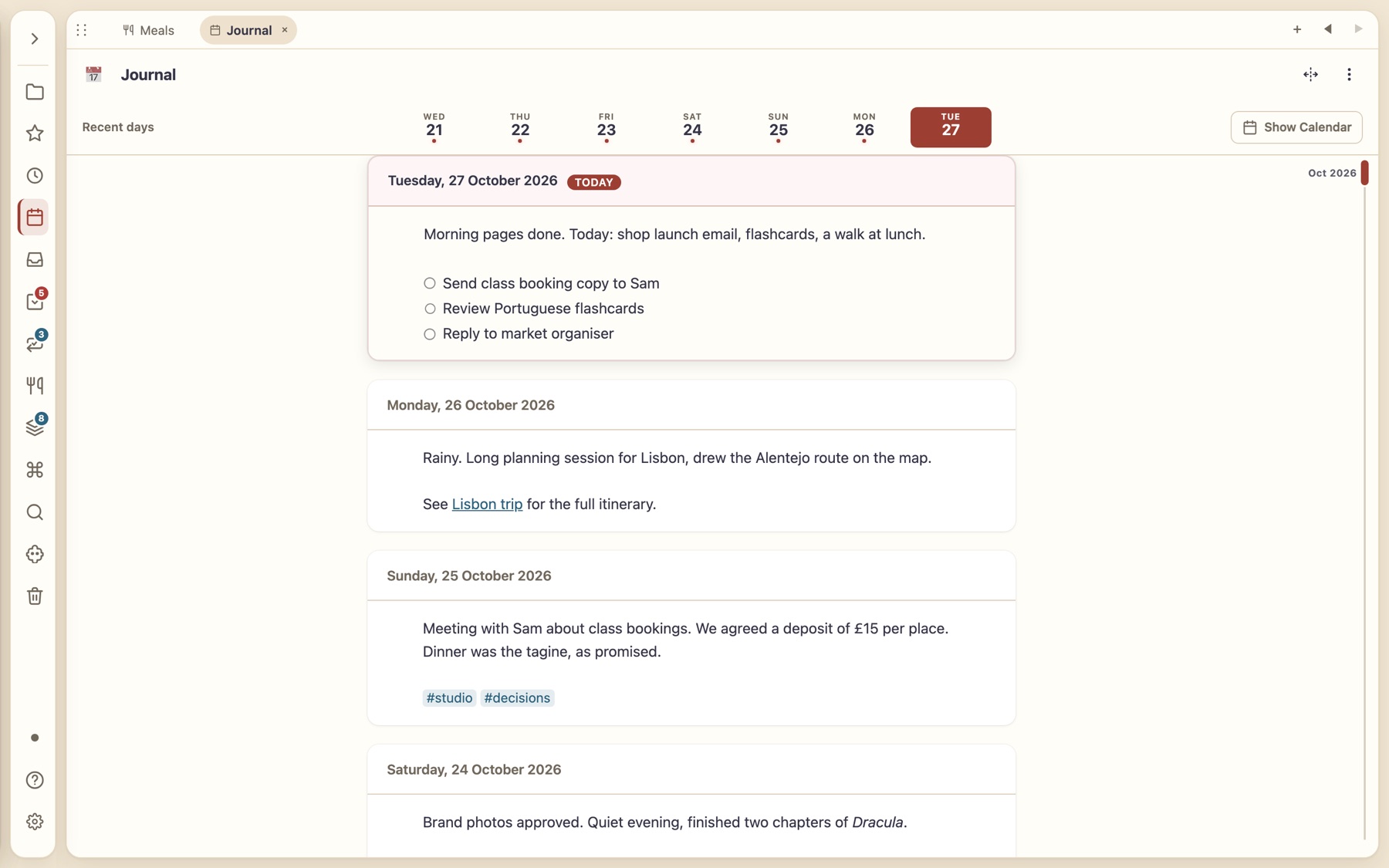
A journal for every day
Scroll back through your days, jump by date, and link entries to anything.
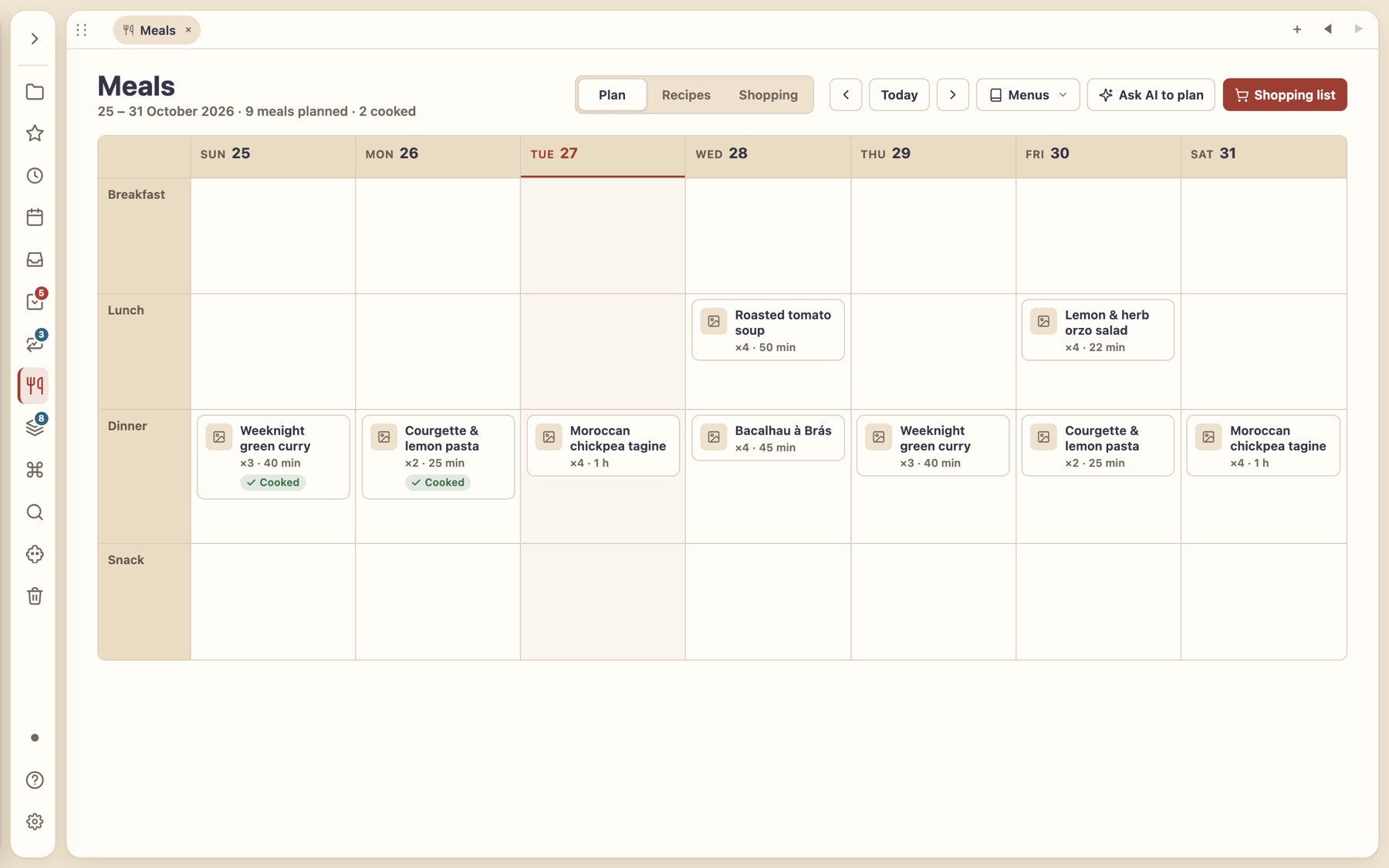
Meal planning
Drag recipes into a week, mark meals cooked, and let a shopping list build itself.
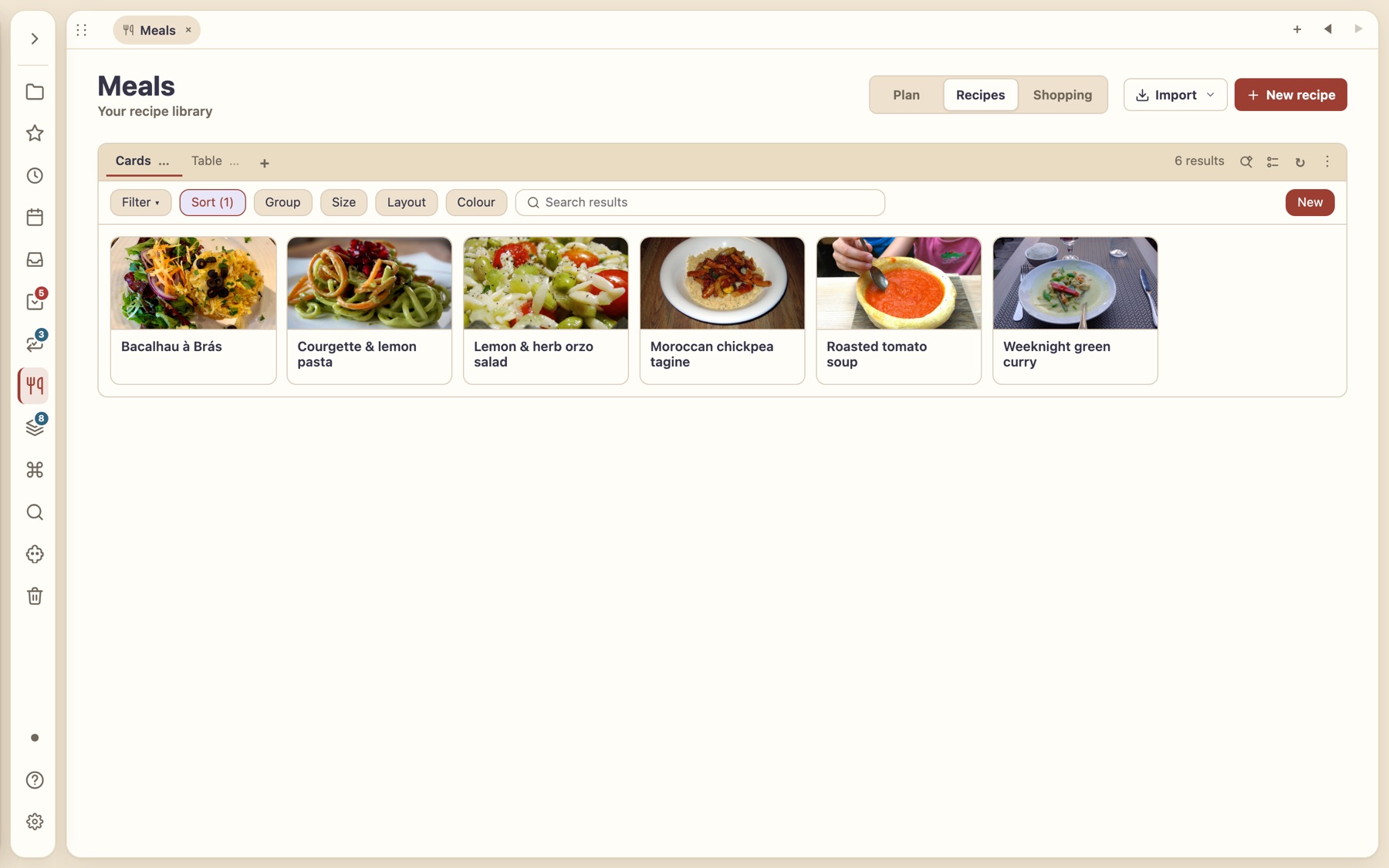
A recipe library
Import from a photo, text or web page. Browse with the same cards, table and filters as everything else.
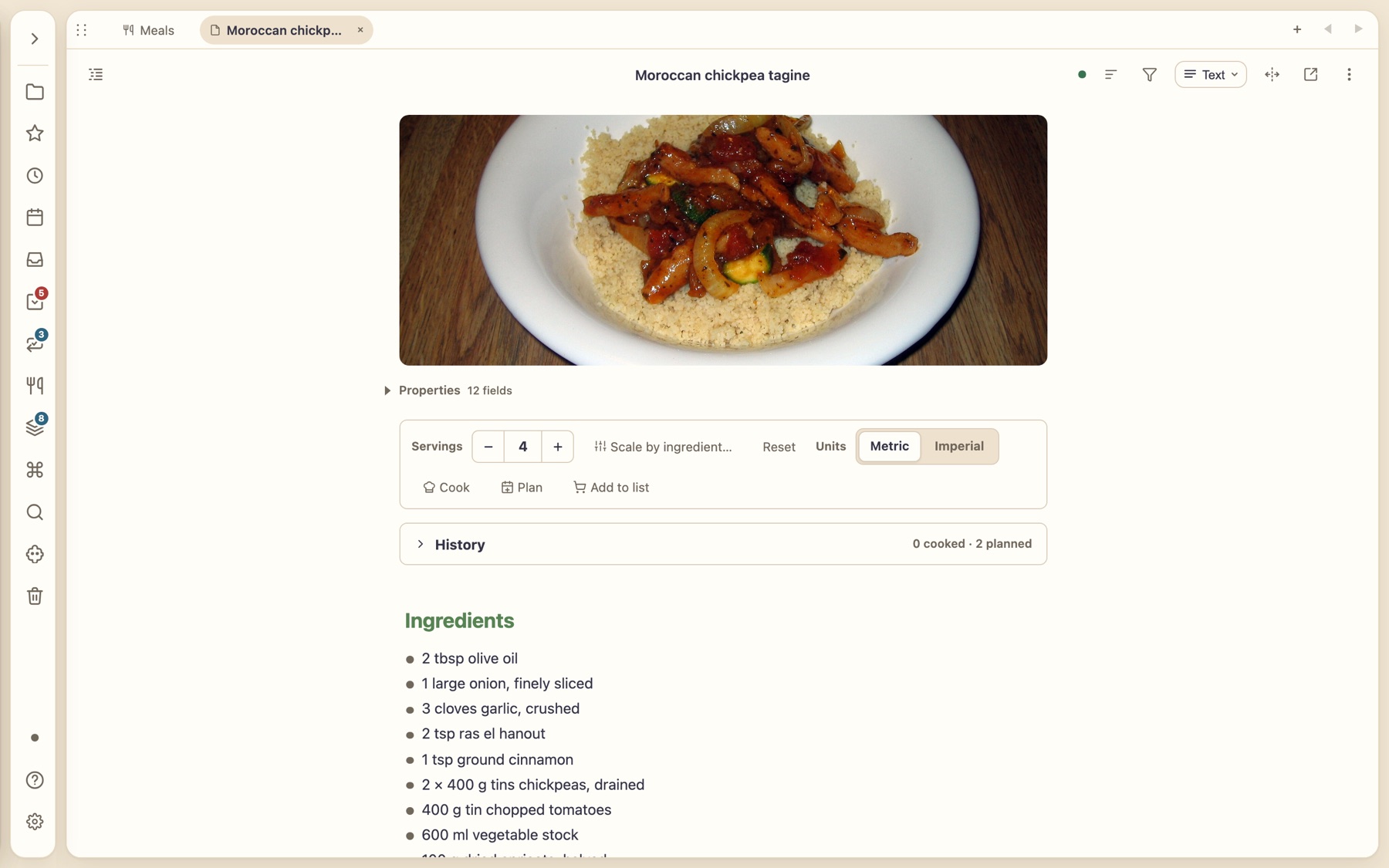
Cook, scale, plan
Scale servings, switch units, cook step by step with timers, or add it to the shopping list.
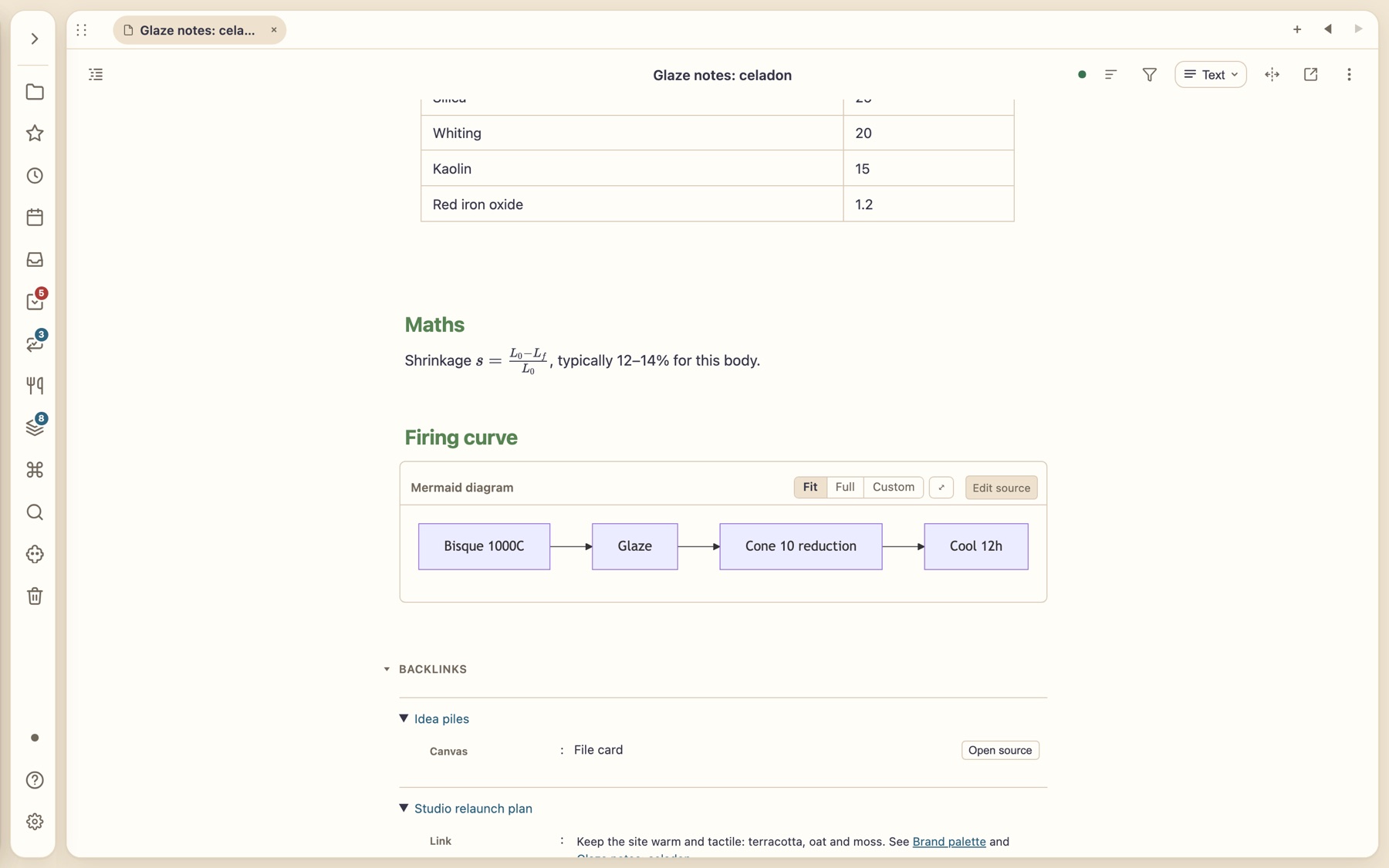
Maths, diagrams and tables without leaving the page.
Typeset LaTeX maths and chemistry inline, draw Mermaid diagrams you can resize, and run small interactive HTML pages inside a note — all offline, using the same rules as other Markdown tools so notes stay portable.
- Interactive pages run isolated and only after you trust a folder. If a file changes, trust is withdrawn until you re-review.
Turn what you consume into what you know.
Watch mode docks a YouTube player beside a timestamped transcript that scrolls with the video — pick your caption language. Alt-click any word to translate it in place, with explanations in both reading and review.
- Preview Word, PowerPoint, spreadsheet and email files inside the app.
- Clip pages, videos and posts from your browser; share to Thortiq from Android.
AI that has read your notes — on your terms.
Bring your own key for the provider you prefer. The assistant works across your vault, researches the web, plans before it acts, and shows you what it wants to change. Ask for a feature in plain language and it drafts a live plugin for your vault — with preview and rollback.
- A versioned plugin kit with ten runnable examples if you’d rather build it yourself.
- Plugins can talk to services such as Jira through a verified network bridge, and run in a sandbox.
In daily life
One home for the way you actually work.
Run projects
Keep every project as a note with a banner, a status and a due date. Pull every overdue task into one view, drag to reschedule, and watch it all on a board or calendar.
Research
Highlight a PDF and each quote lands in your notes with a link back to the page. Clip the web. Ask the assistant to summarise.
Keep a journal and habits
Daily notes, calendar events as ordinary notes, streaks that survive a busy week.
Study and languages
Spaced-repetition flashcards from your own notes; translate any word in place; watch a video beside its transcript.
Plan the household
Recipes you can cook step by step, a weekly meal plan, and a shopping list that builds itself.
Write technical notes
Typeset maths, Mermaid diagrams and small interactive pages, all offline.
Trust
Sync you can’t be locked out of — or snooped on.
Everything works locally with no account. If you add sync, it’s end-to-end encrypted, and the careful parts are built to protect your writing.
End-to-end encrypted
The server relays scrambled revisions. It never sees a note.
History and recoverable trash
Deleted or overwritten something? Earlier versions and bundles of trashed notes can be brought back.
Honest conflicts
Edits on two devices are merged conservatively; if they truly clash you review and choose, and nothing is lost.
Folder sharing
Share a folder; revoke it any time. Owners stay in control.
Selective sync
Scope what each device carries, with a calm progress ring and red reserved for real failures.
Your shortcuts follow you
Rebind any key once; your overrides sync across devices.
Build for your vault
Extend it yourself — or just ask the assistant.
Describe the feature you want in plain language and the built-in assistant can draft a live plugin for your vault, with preview and rollback. Going deeper? The versioned developer kit ships types, schemas, templates, ten runnable examples and a coding-agent skill.
Bring the folder you already have.
Everything local is free. Sync, sharing and calendar connections are in closed beta.